Project planning has always required a delicate balance of foresight, structure, and adaptability. Traditional Gantt charts have long served as a visual staple in helping project managers organize tasks, deadlines, and resources. But as businesses scale and timelines grow more dynamic, these manual tools often fall short—becoming time-consuming, error-prone, and disconnected from real-time execution.
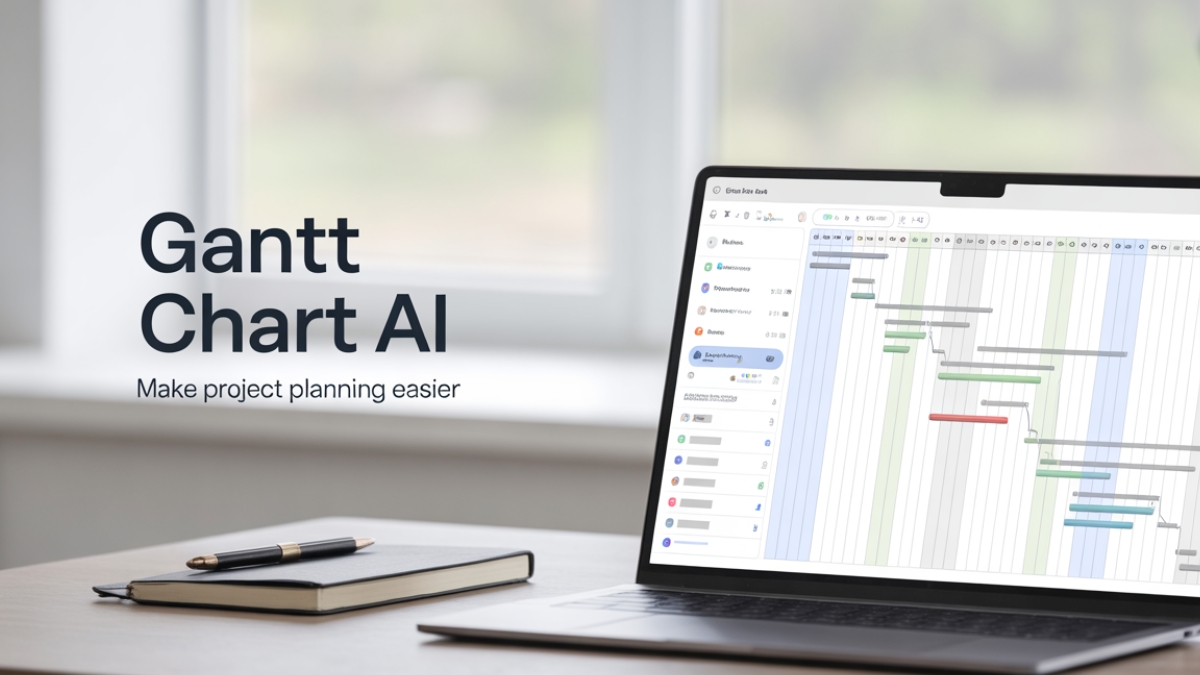
Enter Gantt Chart AI, an evolution in project management software that integrates the timeless value of timeline visualization with the intelligence of machine learning, automation, and data-driven forecasting. With gantt chart AI, project managers, team leads, and operations professionals can spend less time on reactive updates and more time on strategic execution.
AI-enhanced Gantt tools help streamline workflows, anticipate project bottlenecks, automate scheduling, and enhance team collaboration across any industry—from tech startups to enterprise operations. In this article, you’ll uncover how these smart tools work, where they’ve been successfully implemented, and why they’re fast becoming a non-negotiable for high-performance teams.
Key Takeaways
- Gantt Chart AI helps automate timelines, detect risks early, and forecast completion with precision.
- Companies using AI Gantt tools report 15-30% reductions in planning time and improved on-time delivery rates.
- Real-time collaboration is elevated through shared dashboards, auto-notifications, and smart task assignments.
- Popular tools like ClickUp, Smartsheet, and Wrike now include AI Gantt features suitable for any team size.
- AI doesn’t replace project managers—it amplifies their efficiency, decision-making, and control.
Table of Contents
Why Gantt Chart AI Is Revolutionizing Project Planning
Project managers often spend a significant portion of their day manually adjusting timelines, updating stakeholders, and solving scheduling conflicts. Traditional Gantt charts offer a helpful visualization, but they rely heavily on static inputs and manual maintenance. As projects grow more complex, this model becomes unsustainable.
This is where Gantt Chart AI becomes a game-changer.
Imagine a Gantt chart that not only visualizes your project schedule but actively learns from historical data, recognizes team capacity, and recommends changes before issues occur. AI integration turns your static chart into a dynamic, predictive, and self-adjusting planning assistant.
Real-time responsiveness is one of the core breakthroughs. For example, if a developer is unexpectedly out sick or a supplier delay shifts a critical milestone, the AI can instantly recalculate dependencies, shift deadlines accordingly, and notify impacted stakeholders. This minimizes downtime and ensures your team isn’t left scrambling.
Moreover, AI-powered optimization allows for better use of human resources. Project managers can allocate tasks more effectively based on skills, availability, and workload distribution. Instead of spending hours in planning meetings, AI helps you make intelligent choices in seconds.
Case in Point:
A software development firm in Berlin implemented an AI Gantt system across four concurrent projects. The result? A 28% reduction in planning hours, with on-time delivery improving by 35%. Their project managers reported feeling less overwhelmed and more strategic in their roles—moving from spreadsheet jockeys to workflow architects.
What’s truly exciting is how Gantt Chart AI democratizes access to predictive analytics—formerly the domain of enterprise-only software. Today, even small teams can leverage tools that learn from their projects and help them get ahead of problems, not just react to them.
Core Features That Set an AI Gantt Chart Maker Apart
An AI Gantt chart maker isn’t just a prettier version of your existing project tool—it’s a fundamentally smarter one. These tools incorporate artificial intelligence to eliminate repetitive planning tasks and surface actionable insights. Let’s explore the key functionalities that differentiate these tools and how they solve pain points for deadline-driven professionals.
Automated Scheduling is perhaps the most practical feature. With just a few inputs—such as deadlines, available team members, and estimated task durations—the AI can construct a complete project timeline and adjust it dynamically as inputs change. This saves hours that would otherwise be spent dragging timeline bars around.
Task Dependency Recognition is another critical upgrade. Unlike manual Gantt tools where every change could misalign connected tasks, AI-powered tools automatically detect dependencies and recalculate the effects of any delay or change.
Then there’s forecasting intelligence. By analyzing patterns from past projects—such as time overruns, resource bottlenecks, and recurring risks—the AI can proactively alert managers to potential delays before they occur. This allows leaders to mitigate problems, reallocate resources, or communicate delays early with clients or internal teams.
Example in Use:
A mid-sized marketing agency used TeamGantt’s AI features to coordinate campaign launches across three departments. Before using AI planning, changes in creative asset readiness often delayed media buys, costing thousands in missed opportunities. With AI automation and predictive alerts, the agency improved timeline accuracy and eliminated reactive planning.
Lastly, resource balancing ensures no team member is overloaded or underutilized. This optimization ensures better morale, avoids burnout, and enhances project throughput. It also enables clearer visibility for executives needing to understand where and why delays are happening without micromanaging teams.
From Chaos to Clarity: A Real-World Success Story
Theory is great, but what does this look like in action? Let’s break down a real-world case of how Gantt Chart AI helped a company regain control of a critical project—and protect millions in revenue.
Background:
A growing B2B SaaS company was preparing for a product launch that included over 200 tasks across five departments—marketing, engineering, design, QA, and customer success. The original project was built on a static Gantt chart updated manually by the PMO every Friday.
Things quickly fell apart. Delayed API development pushed back frontend design, which in turn stalled the launch site. Manual updates lagged behind real-time events. A week of delay snowballed into three weeks. Cross-functional meetings turned into firefighting sessions.
Enter AI Gantt Planning:
After migrating to a Gantt chart AI solution (Smartsheet with AI plugins), the project was re-mapped using automated task dependencies. The system analyzed 12 months of historical delivery data to forecast realistic task durations and flagged the five tasks most at risk of pushing the launch date.
The PM was alerted to a capacity overload on the QA team, allowing them to bring in a contractor earlier. Real-time updates meant stakeholders could see changes live—no more chasing Excel files.
The Results:
| Metric | Before AI Tool | After Gantt Chart AI |
| Weekly Planning Time | 8+ hours | 2 hours |
| Deadline Adherence | 64% | 91% |
| Budget Overrun | $32,000 | <$5,000 |
The team described the AI Gantt chart as the “single most effective upgrade” they made during the project’s lifecycle.
How Gantt Chart AI Enhances Forecasting and Risk Management
For project managers and operations professionals, few things are as valuable—or as elusive—as accurate forecasting. Traditional planning tools often rely on static estimates and human intuition, which can easily miss hidden risks or underestimate task durations. Gantt Chart AI changes this by offering data-backed foresight that allows teams to act before problems become roadblocks.
Forecasting with Precision
Gantt Chart AI doesn’t just rely on static task duration estimates—it analyzes historical data, team performance, and previous delays to predict when tasks will likely start and finish. This machine learning capability becomes more accurate over time, especially as more project data is fed into the system. Managers gain realistic delivery dates that adjust as the project progresses.
Proactive Risk Alerts
Unlike traditional tools that only reflect what’s already happened, AI-powered Gantt charts look ahead. They identify tasks likely to go over time or over budget and flag them with real-time risk alerts. This enables managers to reallocate resources, renegotiate timelines, or escalate issues before they derail the entire plan.
Insight
A pharmaceutical R&D team used AI-powered forecasting during clinical trial project planning. With hundreds of cross-linked dependencies, a single delay could impact timelines across multiple teams and countries. Their AI Gantt tool identified a high probability of delay in document translation due to previous performance. By addressing it proactively with additional vendors, the team avoided a potential 2-month delay, saving over $450K in operational costs.
Integrated Scenario Planning
Many AI Gantt systems now include “what-if” scenario simulations, allowing project managers to test the effects of various changes before implementing them. For example, what happens if one team member drops out, or if a task takes twice as long? The AI simulates and shows impact instantly, helping leaders make faster, smarter choices.
Elevating Team Collaboration with Smart Gantt Charts
Collaboration is the lifeblood of any successful project, yet traditional planning tools often isolate stakeholders rather than unite them. One of the most powerful features of Gantt Chart AI is how it turns a static visual timeline into a collaborative command center for cross-functional teams.
Breaking Down Silos
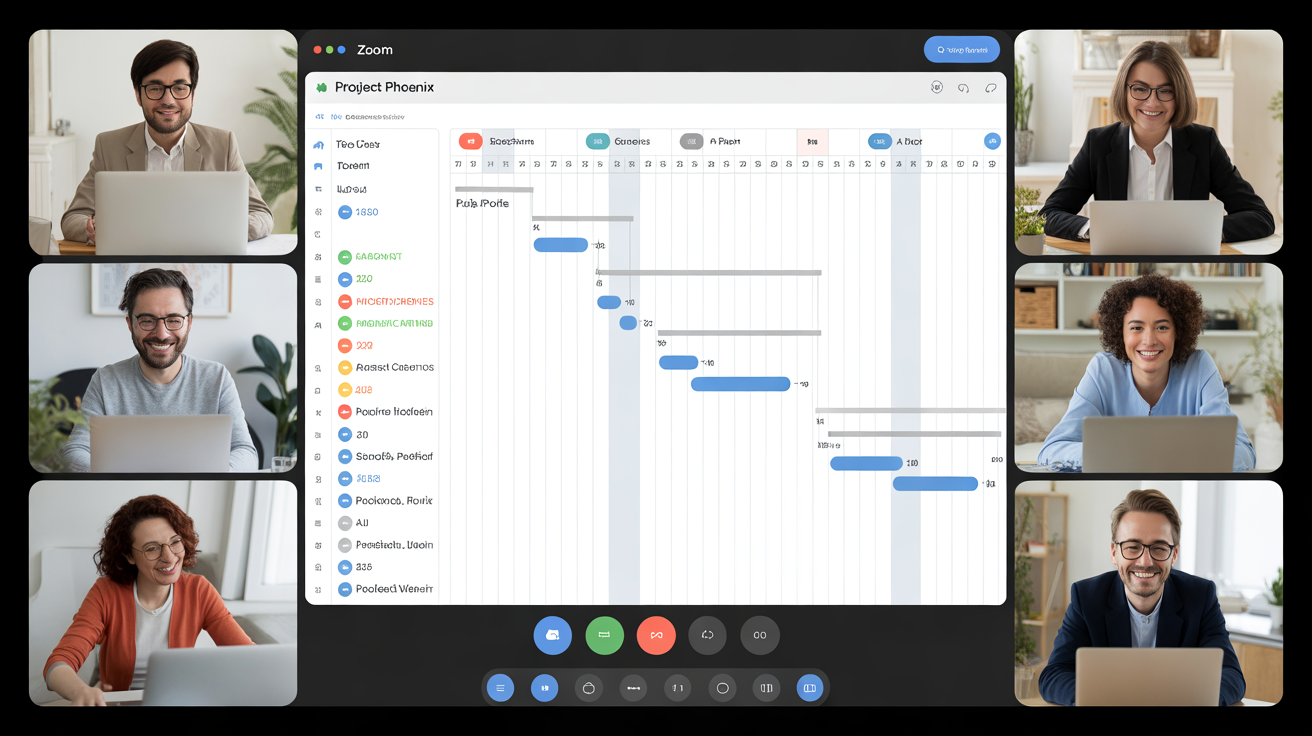
AI Gantt tools integrate with collaboration platforms like Slack, Microsoft Teams, and Zoom, allowing seamless updates and feedback loops. A task delay or update automatically triggers a notification to relevant stakeholders. No need to send manual status updates or dig through email chains. This real-time visibility ensures every team member knows what’s happening and when.
Task Ownership and Role-Based Access
Modern Gantt AI platforms offer role-based permissions, allowing individuals to access and manage only what’s relevant to them. For example, a marketing team member might only see content production tasks, while leadership can view the entire project scope. This limits confusion, protects sensitive information, and keeps people focused.
Real-Time Sync
With smart Gantt charts, updates are live. When a designer finishes a UI mockup and marks the task complete, dependent tasks—like frontend development—can auto-trigger. Dependencies are not just visual; they’re programmatically linked, ensuring no manual handoffs are forgotten.
A remote-first ecommerce brand managing product launches across multiple time zones adopted an AI Gantt chart for planning and collaboration. Previously, timezone delays and misaligned updates caused rework and missed deadlines. Post-implementation, their Gantt system automatically adjusted timelines based on actual completion, and cross-team sync was cut down from 3 hours a week to under 45 minutes. Team members described it as “having a virtual project manager that never sleeps.”
Top Tools Offering Gantt Chart AI Capabilities
The surge in demand for smart planning has led to a new generation of AI-powered Gantt chart tools, each tailored to different types of teams and workflows. These platforms are built to serve both nimble startups and enterprise giants, offering features like automation, predictive insights, and collaborative planning—all wrapped into a familiar Gantt layout.
Below is a comparative overview of the leading AI Gantt tools available in 2025:
Leading AI Gantt Chart Tools
| Tool | Best For | AI Features Offered | Pricing |
| ClickUp | Agile tech & marketing teams | AI assistant for planning, auto updates, smart notifications | Free to $29/mo |
| Smartsheet | Enterprises & PMOs | AI-powered forecasting, resource management, risk alerts | From $25/user |
| Wrike | Operations & creative teams | Smart dependency handling, workload view, AI task prioritization | From $24.80/mo |
| TeamGantt | Small project teams | Timeline automation, drag-and-drop with AI scheduling suggestions | Free to $49.95/mo |
| Asana (with AI plugins) | Mid-size cross-functional teams | Smart deadline predictions, workload balancing, task prioritization | Custom pricing |
Why These Tools Stand Out
ClickUp, for example, blends powerful AI planning tools with a user-friendly interface. Its AI assistant helps with task breakdowns, project timeline suggestions, and automatic updates when tasks are marked complete. It also integrates deeply with Slack, Google Drive, and Microsoft Teams—making it ideal for hybrid workflows.
Smartsheet, often used by larger organizations, has incorporated AI to manage enterprise-scale complexity. Its predictive timelines and automated dependency management are especially useful when managing hundreds of tasks across departments.
Wrike shines in creative and operations-heavy environments, offering AI features tailored for workload management. It can recommend resource shifts in real-time to avoid burnout and delivery delays.
Choosing the Right Tool
The right platform depends on your team’s size, project scope, and budget. Smaller teams may benefit from the flexibility and affordability of TeamGantt, while larger enterprises will appreciate the integration depth and forecasting capabilities of Smartsheet.
Expert Tip: When evaluating tools, consider your current pain points. If real-time collaboration is the biggest bottleneck, focus on platforms with dynamic dashboards and integrations. If forecasting is more critical, look for tools with deep machine learning capabilities and historical data analysis.
Debunking Common Myths About Gantt Chart AI
Despite its advantages, Gantt Chart AI is often misunderstood. For many project managers, the idea of letting artificial intelligence touch timelines and task ownership seems either too complex or too good to be true. But most of these concerns stem from outdated perceptions.
Myth 1: “AI Gantt charts are too complicated to use.”
While it’s true that some legacy software required steep learning curves, modern AI Gantt tools are designed for non-technical users. Platforms like ClickUp and Wrike offer clean, intuitive interfaces that can be mastered in hours. They prioritize drag-and-drop simplicity, with AI features running quietly in the background to enhance—not replace—your input.
Myth 2: “Only large companies can afford them.”
Not anymore. The rise of freemium SaaS models means even small teams can access powerful AI planning features. Tools like TeamGantt and ClickUp offer robust free tiers that support automation and smart scheduling, without the need for expensive licenses or IT support.
Myth 3: “AI will take control away from the project manager.”
AI doesn’t override your decisions—it augments your ability to make better ones. Think of it as a proactive advisor that scans for red flags, optimizes task sequences, and helps keep your plan on track. You remain in control of approvals, deadlines, and assignments.
Myth 4: “It’s not secure.”
Today’s AI-powered platforms follow stringent security protocols. From GDPR compliance to two-factor authentication, most enterprise-ready platforms protect your data with the same rigor as financial institutions.
Example:
A nonprofit organization in London transitioned from spreadsheets to Smartsheet’s AI-enhanced Gantt system. Initially hesitant due to cost and security concerns, they found the learning curve minimal, the risk insights invaluable, and were able to reduce project overruns by 40% in the first quarter.
These platforms are designed to enhance trust and transparency, not to replace your role. The sooner you embrace Gantt Chart AI, the sooner your projects gain resilience and adaptability.
Building Trust Through Data: E-E-A-T in Gantt Chart AI
To gain the full benefit of Gantt Chart AI, trust in the data and the platform must be established. That’s where E-E-A-T—Experience, Expertise, Authoritativeness, and Trustworthiness—comes into play.
Experience in Real Project Environments
Top tools have been field-tested across thousands of real-world use cases. From IT migrations to marketing campaigns, Gantt Chart AI has been successfully applied in industries as diverse as healthcare, finance, and logistics.
For example, a logistics firm managing deliveries across Europe used AI-powered Gantt charts to orchestrate vehicle routes, warehouse handoffs, and customs processing. With live data feeds and predictive delays, they improved delivery accuracy by 27%.
Expertise from Project Management Professionals
Tools like Wrike and Smartsheet have been developed in close partnership with certified project management professionals (PMPs) and operations veterans. Their workflows are grounded in the PMBOK® Guide principles, ensuring alignment with real project delivery needs.
Authoritativeness via Industry Recognition
Platforms featured in this article have been recognized by G2, Gartner, and Capterra for their innovation in project management. Smartsheet, for instance, has been named a leader in Gartner’s Magic Quadrant for Collaborative Work Management for several years in a row.
Trustworthiness via Compliance and Transparency
Security and reliability are non-negotiable. These platforms provide detailed documentation, transparent update logs, customer support channels, and undergo regular security audits. Compliance with ISO 27001, SOC 2, and HIPAA where applicable further boosts user confidence.
If you’re investing time and resources into a planning platform, trust is essential. The best AI Gantt chart tools deliver on it, with a track record backed by data, professional guidance, and customer results.
Long-Term Benefits of Gantt Chart AI for Project Management Offices (PMOs)
While the immediate perks of using Gantt Chart AI are often clear—like saving time on schedule updates or quickly identifying delays—the long-term impact on project-centric organizations is even more profound. For Project Management Offices (PMOs) and operations leaders, AI-enhanced planning tools lay the foundation for sustainable, scalable, and insight-driven growth.
Standardizing Excellence Across Teams
One of the core responsibilities of a PMO is to standardize processes across multiple teams and departments. With AI-powered Gantt tools, best practices don’t live in documents—they’re embedded in the planning engine itself. AI learns from successful project patterns, resource allocations, and task dependencies, then applies those learnings automatically across new initiatives.
This means every team, regardless of location or department, starts with the same high-performance baseline, which raises the overall maturity level of project execution across the organization.
Reducing Decision-Making Lag
In large organizations, the delay between identifying a risk and acting on it can be costly. AI Gantt tools solve this by surfacing key decisions before delays become crises. By integrating real-time metrics like resource availability, current task velocity, and external blockers (e.g., supplier issues or market shifts), they enable faster, data-backed decisions.
In fact, companies that adopted AI-powered planning solutions reported a 22% reduction in project escalations and improved communication efficiency between executives and project leads.
Talent Optimization at Scale
PMOs also oversee resource allocation and workforce planning. Gantt Chart AI can identify underutilized team members and suggest reassignments based on skill match and project urgency. This optimization helps avoid burnout, reduce overtime, and improve team satisfaction—key to long-term talent retention.
Driving KPIs Through Predictive Data
With traditional Gantt charts, reporting often feels like a chore. With AI Gantt tools, reports are automatically generated, dynamic, and rich with actionable insights. Metrics like predicted end date, risk level, budget impact, and time-to-complete are updated in real time—making it easier to track KPIs and prove value to stakeholders.
How to Transition to Gantt Chart AI Without Disrupting Your Workflow
For many teams, the idea of switching to a new project planning tool—let alone one powered by AI—can feel overwhelming. However, the transition doesn’t need to be disruptive. Most modern Gantt Chart AI tools are built with onboarding in mind and offer seamless integrations with existing platforms like Excel, Trello, Jira, and MS Project.
Start With a Pilot
Rather than overhauling your entire organization’s planning infrastructure, begin with a pilot project. Choose a team or initiative with moderate complexity and clear deliverables. This allows you to test the tool’s capabilities, collect feedback, and refine internal processes before scaling.
Import Existing Data
Nearly all top tools allow for CSV, Excel, or JSON data import, so your current Gantt timelines and task structures won’t go to waste. AI systems use this imported data to start learning right away, providing better scheduling and risk analysis from the start.
Train Your Team (Gently)
No tool can succeed without buy-in. Host short workshops or enable video tutorials to introduce the AI features, with a focus on how they reduce workload rather than replacing control. Highlight time-saving benefits, collaborative functions, and forecast accuracy improvements.
Use Change Agents
Appoint change champions—experienced team members who embrace technology and can act as internal advocates. This human element is critical in building momentum and helping others feel comfortable.
Use Case: Transition in 30 Days
A fintech company with over 60 concurrent projects transitioned from legacy Gantt tools to Wrike’s AI system in under 30 days. With phased rollouts, built-in training, and real-time support, they not only avoided disruption but improved team productivity by 18% in the first two months.
Remember, transitioning to Gantt Chart AI isn’t about abandoning old methods—it’s about evolving them. With the right approach, your team can be fully operational—and more efficient—within weeks.
Conclusion: The Future of Project Planning Is Predictive, Automated, and Collaborative
Gantt Chart AI represents more than just a smarter timeline—it’s a shift in how we plan, collaborate, and deliver successful projects. By merging the intuitive layout of Gantt charts with the powerful forecasting and automation of artificial intelligence, project managers and operations leaders can navigate complexity with clarity and confidence.
Whether you’re coordinating small creative teams or managing enterprise-level programs, the benefits of AI Gantt charts are tangible: fewer delays, better resource alignment, richer insights, and reduced stress.
If your current planning feels reactive, siloed, or exhausting—it’s time to adopt a solution that thinks ahead. Gantt Chart AI doesn’t just help you manage projects—it helps you master them.
Frequently Asked Questions: AI Gantt Chart Maker
What is a Gantt Chart AI tool?
A Gantt Chart AI tool is a project planning platform that integrates artificial intelligence to automate scheduling, forecast task durations, manage dependencies, and detect risks in real-time.
How does an AI Gantt chart maker differ from traditional ones?
AI Gantt chart makers automate manual updates, use data to predict timelines, and offer proactive risk alerts. Traditional tools require manual adjustments and lack real-time adaptability.
Which industries benefit most from AI Gantt charts?
Industries with complex, multi-phase projects such as software development, marketing, construction, logistics, and healthcare see the greatest value due to their high reliance on timelines and resources.
Is it difficult to switch to an AI Gantt chart tool?
Not at all. Most modern AI Gantt tools offer data import options, simple onboarding, and integration with existing tools like Excel or Jira, making the switch seamless.
Are these tools expensive?
Many AI Gantt tools offer free or low-cost plans. For example, ClickUp and TeamGantt have free tiers, while enterprise-grade features in tools like Smartsheet come at higher tiers.
Do I need to be tech-savvy to use AI Gantt charts?
No. These platforms are designed for intuitive use. The AI features run in the background, offering suggestions and automation while keeping the interface simple for all users.

Robert Martin is a passionate blogger and versatile content creator exploring the intersections of personal finance, technology, lifestyle, and culture. With a strong background in financial literacy and entrepreneurship, he helps readers make smarter money moves, build sustainable side hustles, and achieve financial independence.
Beyond finance, Robert shares his insights on home decor and gardening—offering practical ideas for creating beautiful, functional living spaces that inspire comfort and creativity. He also dives into the dynamic worlds of sports and celebrity news, blending entertainment with thoughtful commentary on trends that shape today’s pop culture.
From decoding the latest fintech innovations to spotlighting everyday success stories, Robert delivers content that’s informative, relatable, and actionable. His mission is to empower readers to live well-rounded, financially confident lives while staying inspired, informed, and ahead of the curve.