
For over a decade, Evernote reigned supreme as the indispensable digital scribe for knowledge workers, students, and productivity enthusiasts. Its foundational promise to act as an external brain captivated a global audience, creating a loyal user base that relied on it for everything from quick notes to complex project archives. Yet, a significant and palpable shift is now underway within this very community. A growing number of users are actively seeking the best Evernote alternatives, driven by a confluence of frustration and opportunity. The modern digital note-taking landscape has undergone a radical evolution, spawning a plethora of powerful, intuitive, and often completely free tools that not only challenge but frequently surpass the old guard in specific, critical functionalities. This article serves as your definitive, expert guide to navigating this vibrant new ecosystem. We will move beyond superficial feature lists to provide a meticulous analysis of the top contenders, from all-in-one collaborative workspaces to privacy-focused open-source champions. Our goal is to arm you with the insights needed to find a tool that genuinely resonates with your workflow, amplifies your productivity, and respects your budget. Whether your primary need is a straightforward evernote alternative, a fully-featured evernote equivalent free tool, or a robust long-term evernote replacement, your informed search begins here.
Key Takeaways
- The migration from Evernote is primarily fueled by its rising cost structure, limitations of its free plan, and a perception of increased complexity, opening the door for more agile and affordable solutions.
- Leading alternatives like Notion, OneNote, and Obsidian have carved distinct niches, offering superior capabilities in areas like database management, deep software ecosystem integration, and networked knowledge linking, respectively.
- The concept of data sovereignty has become a major differentiator, with tools like Joplin offering users complete control over their information through open-source software and self-hosted sync options.
- A successful transition involves a strategic export of data from Evernote using the standard .enex format and a careful selection process based on individual workflow needs, desired features, and philosophical alignment with a tool’s core design principles.
Table of Contents
The Catalysts Driving the Exodus from Evernote
The decision to abandon a long-standing productivity platform is rarely taken lightly. It represents a significant investment of time and effort to migrate years of accumulated information. Therefore, the current exodus from Evernote is a telling indicator of profound user dissatisfaction and the availability of compelling alternatives. This movement is not a rash trend but a calculated response from a savvy, tech-aware user base that meticulously evaluates the return on investment for every tool in their arsenal. For many, the application that once felt like an indispensable extension of their mind now feels burdensome, costly, and out of step with modern workflow demands. The relationship has fundamentally shifted from one of seamless utility to one defined by calculated trade-offs and mounting frustrations. Understanding these catalysts is crucial for appreciating why the search for a free evernote replacement has become so widespread. The pain points are multifaceted, impacting users financially, functionally, and philosophically. Organizations and individual power users who once standardized on Evernote are now conducting extensive audits of note-taking solutions, prioritizing long-term cost control, data security, and feature sets that align with hybrid and remote work realities. This strategic reassessment is a key driver behind the migration to platforms that offer greater flexibility and future-proofing.
Deconstructing the Core Frustrations: Cost, Constraints, and Complexity
To fully grasp the market shift, one must examine the specific pain points that have pushed users to seek an evernote substitute. The primary and most frequently cited catalyst is financial. Evernote’s premium subscription tier has progressively become a recurring expense that many individuals, freelancers, and even small teams are actively questioning. When stacked against the robust, often unlimited free offerings of competitors like Notion or OneNote, Evernote’s value proposition narrows considerably. Its free plan itself, once considered generous, now feels intentionally and overly restrictive, strategically limiting fundamental features like device synchronization—a non-negotiable requirement for any modern knowledge worker who switches between a laptop, phone, and tablet throughout the day. This paywall behind a basic utility feels punitive to users.
Beyond mere cost, a creeping featurism has complicated the application’s once-elegant and simple interface. The core, zen-like experience of effortlessly jotting down a note can feel overshadowed by a cluttered array of ancillary features, menus, and prompts, inadvertently creating cognitive load rather than reducing it. This increased complexity starkly contradicts the very principle of a productivity tool, which should get out of the way and let the user work. Furthermore, sync reliability—the absolute technological bedrock of any cloud-based note-taking application—has been a historical and occasional pain point for Evernote, leading to data conflicts, versioning errors, and a gradual erosion of user trust. When a tool responsible for storing your most important ideas fails at its most basic promise of availability and consistency, the foundation crumbles. These elements combined—financial friction, intentional limitation, interface clutter, and reliability concerns—create a powerful impetus for change, motivating users to embark on the search for a more stable, transparent, and efficient solution.
Establishing Your Framework for Selecting a Successor Application
Selecting a new digital notes hub is a consequential decision that should be approached with strategy and clarity. To avoid the common pitfall of simply trading one set of problems for another, it is imperative to evaluate all potential alternatives against a clear, personalized set of criteria. Think of this framework as your essential specification sheet for architecting your future second brain. This process begins with ruthless self-assessment: What is the primary purpose of this tool? Is it for capturing fleeting ideas, managing complex projects, building a research database, or a combination of these? The answers will immediately narrow the field. For instance, a visual thinker might prioritize a freeform canvas, while a researcher might need powerful linking capabilities.
The next critical factor is ecosystem integration. The most seamless evernote alternative will often be the one that already plays nicely with your existing software environment. A dedicated Microsoft 365 user will find unparalleled value in OneNote’s deep integration with Outlook and Word. Similarly, someone embedded in the Google workspace will experience significant productivity gains by using Google Keep’s instant integration with Docs and Calendar. For those who prioritize independence and security above all else, the open-source and privacy-focused credentials of an app like Joplin become the paramount concern. Other non-negotiable technical criteria include cross-platform availability (Web, Windows, macOS, iOS, Android), the quality of the offline experience, and the raw power and speed of the search functionality. By establishing this weighted framework before diving into feature comparisons, you can make an objective, needs-based decision rather than being swayed by slick marketing or surface-level appeal. This methodology ensures the tool you choose is not just powerful in isolation, but powerful for you and your specific context.
Notion: The Unrivaled All-in-One Modular Workspace
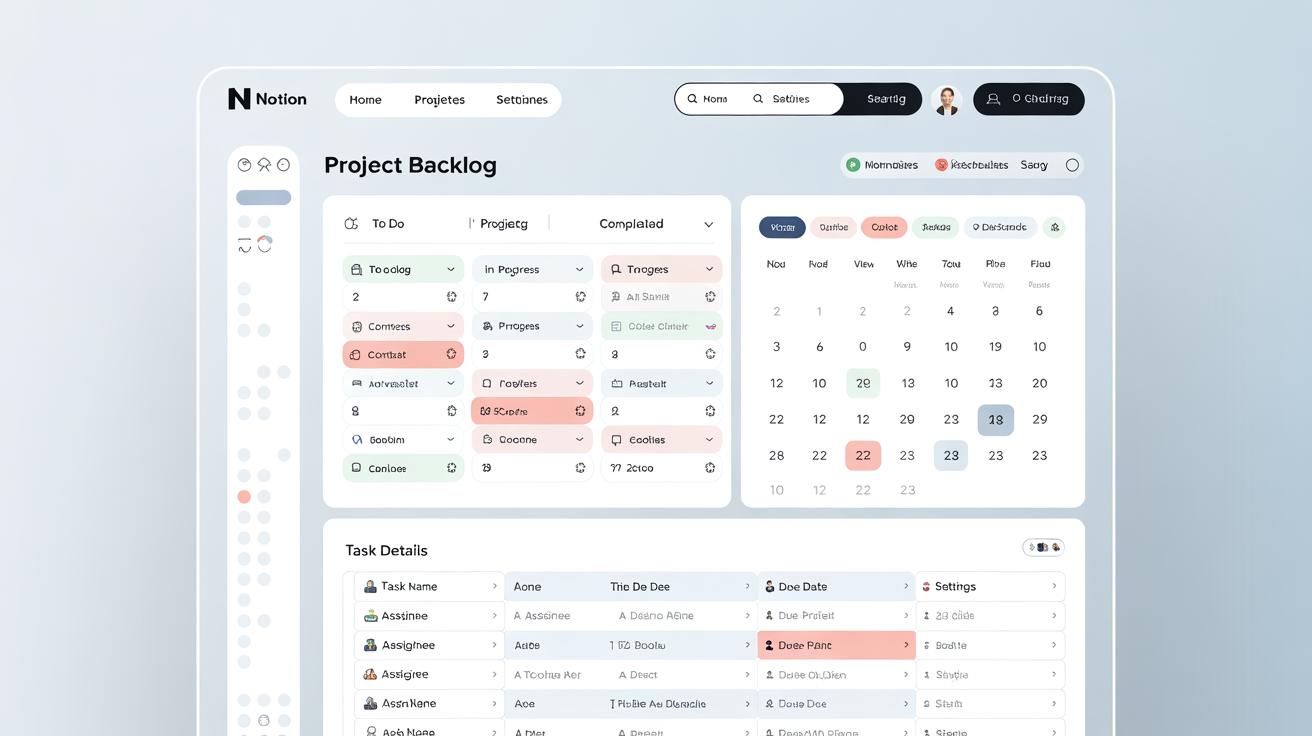
Notion has fundamentally redefined the category by transcending the simple notepad metaphor entirely. It is best understood not merely as a note-taking app, but as a highly customizable modular operating system for your work and life. Its foundational building block is, aptly, the Block. Every piece of content—a line of text, an image, a to-do list, a database row, an embedded website, or even a video—is a block that can be freely dragged, dropped, and combined with any other block on an infinite canvas. This architecture provides a level of flexibility and power that traditional note-taking apps simply cannot match. Its database feature is its killer app, transforming static notes into dynamic, relational databases. You can view the same database as a sorted table, a Kanban board for project management, a calendar for deadlines, or a gallery for visual references.
For teams and individuals managing complex projects, content calendars, or client databases, Notion is arguably the most powerful free evernote replacement available. Its free plan is exceptionally generous for individual use, offering unlimited blocks and pages, which is more than sufficient for most personal knowledge management needs. The learning curve is undoubtedly steeper than more straightforward apps, as users must effectively build their own ideal structure from the blocks provided. However, the payoff in organizational capability and workflow integration is immense. Real-world use cases abound: marketing teams use it to track entire campaigns from ideation to execution, writers use it to manage research and chapter outlines for books, and startups use it as their sole operational hub, replacing separate tools for docs, wikis, and task management. This capacity to consolidate multiple paid subscriptions into a single, free (for individuals) platform is a massive part of its value proposition and a key reason for its explosive growth as a premier Evernote alternative.
Microsoft OneNote: The Deeply Integrated Digital Binder Analogy
If Evernote operates like a digital filing cabinet, Microsoft OneNote is best imagined as an infinitely large, free-form leather binder. Its interface is deliberately structured around the familiar physical analogy of Notebooks, Sections, and Pages, a hierarchical model that feels immediately intuitive and requires minimal explanation for new users. This design lowers the barrier to entry significantly, making it an excellent choice for those frustrated by complexity. Its greatest and most defensible strength is its deep and seamless integration within the Microsoft 365 universe. If your daily workflow is conducted primarily within the Microsoft ecosystem—using Outlook for email, Word for document editing, Excel for data analysis, and Teams for communication—then OneNote is the natural and logical evernote alternative.
The integration is profound: you can email notes directly into a designated OneNote section from Outlook, embed Excel spreadsheets directly onto a page, and meeting details from Outlook Calendar can be automatically populated into a new note. It is completely free to use with ample storage provided through OneDrive. Its freeform canvas allows you to click anywhere on a page and start typing, making it excellent for brainstorms, mind-maps, and non-linear thinkers who don’t want to be constrained by a linear document structure. It also boasts superior inking and handwriting support, making it a favorite among users of Surface devices and other stylus-enabled gadgets. While its tag system is not as robust or searchable as Evernote’s, its price (free), rock-solid sync within the Microsoft ecosystem, and intuitive, familiar structure make it a formidable and trustworthy contender for millions of users worldwide, particularly in enterprise and academic environments.
The Agile Google Duo: Keep for Capture, Docs for Creation
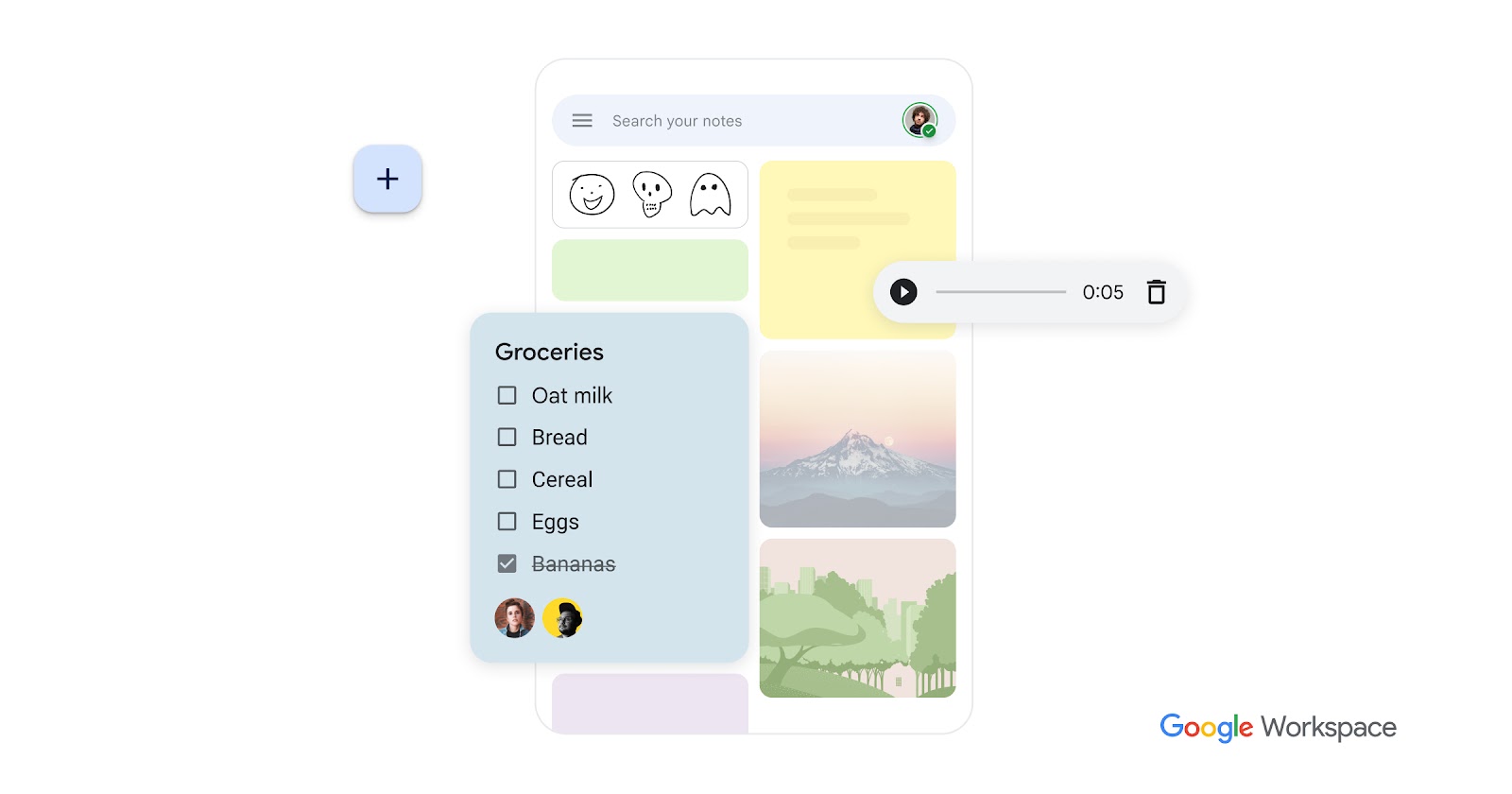
Google’s strategic approach to challenging Evernote is unique. Instead of offering a single, monolithic application, it provides a potent and integrated combination of two best-in-class tools: Google Keep and Google Docs. This duo operates on a philosophy of right-tool-for-the-right-job, effectively covering the entire spectrum of note-taking needs. Google Keep is the agile, lightweight, and incredibly fast tool for instantaneous capture. It is designed for thoughts that are born on the go: voice memos, quick lists, photographed images, and brief reminders. Its card-based user interface and powerful system of color-coding and labels make it perfect for managing temporary, actionable notes that don’t require extensive formatting.
The magic, and the true productivity boost, happens through the seamless “Copy to Google Docs” function. With a single click, a quick note captured in Keep can be elevated into a formal, fully-featured Google Doc. This action effectively promotes a raw idea into a document ready for deep work, research, and collaboration. For anyone already embedded in the Google workspace (Gmail, Drive, Calendar), this duo offers a frictionless and completely free workflow. There is no learning curve for existing users, no new subscriptions to manage, and no data silos—everything resides within Google Drive. This makes it a practical and highly efficient evernote equivalent free solution for students, writers, and professionals who value speed, simplicity, and deep integration over advanced features like bi-directional linking or complex databases. It exemplifies how combining simple, focused tools can sometimes create a more fluid and effective system than a single, complex one.
Joplin: The Champion of Open-Source and Data Sovereignty
In an era of increasing concern over data privacy and vendor lock-in, Joplin stands apart as a beacon for principles of sovereignty and transparency. It is a free, open-source note-taking app that places you in complete and absolute control of your data. This is its core value proposition and its most powerful feature. Notes in Joplin are written in Markdown, a lightweight and future-proof plain-text formatting language that ensures your notes will remain readable and usable by any text editor for decades to come, completely independent of the Joplin application itself. Synchronization is achieved not through Joplin’s own servers, but by using your own cloud storage provider—such as Dropbox, Nextcloud, OneDrive, or any WebDAV-compatible service.
This architecture means your notes are encrypted on your device and then synced to a location you own and control; they are not stored on or analyzable by a corporate server. For the privacy-conscious, the tech-savvy, and organizations with strict data governance policies, this is an unparalleled advantage. Joplin faithfully and reliably imports Evernote’s entire .enex export format, making migration straightforward. While its interface is more utilitarian and less polished than commercial alternatives, its commitment to data ownership, coupled with its powerful and comprehensive note-taking features (including note linking and notebooks), makes it an outstanding and deeply trustworthy evernote substitute. It appeals to a user who believes that the contents of their digital brain are too valuable to be entrusted to a third-party commercial entity, offering peace of mind that no subscription fee can buy.
Obsidian: The Networked Thought Forge for Knowledge Management
Obsidian represents a philosophical shift in personal knowledge management (PKM). It is not merely an application for taking notes; it is a sophisticated environment for building a networked knowledge base, or a “second brain.” Its core philosophy revolves around creating “atomic” notes—single ideas written in their own documents—and then intentionally linking them together to form a vast, personal web of thought, much like a private Wikipedia. Its most iconic and mesmerizing feature is the “Graph View,” a dynamic visual map that renders every note and its connections as an interactive node graph. This allows you to visually explore the relationships between ideas, discover unexpected connections, and surface insights that would remain hidden in a traditional, hierarchical folder structure.
A key tenet of Obsidian’s design is local-first functionality. Your notes are stored as plain text Markdown files in a standard folder on your local device. This guarantees blistering speed, flawless offline access, and ultimate portability and future-proofing. Its functionality can be extended through a vast library of community-developed plugins, allowing you to add everything from Kanban boards and calendars to advanced query tools, tailoring the app precisely to your needs. For academics, researchers, writers, and systems thinkers, Obsidian offers a powerful, free (for personal use) methodology that goes far beyond traditional note-taking. It facilitates the synthesis of information into genuine knowledge, making it the ultimate tool for those who don’t just want to store ideas, but to actively develop and connect them. It is less an evernote replacement and more an evolution of the very concept of note-taking itself.
Comparative Analysis: Selecting Your Ideal Tool Based on Priority
To aid in the decision-making process, the following table provides a clear, at-a-glance comparison of how each leading alternative stacks up against key selection criteria. This allows you to quickly identify which options best align with your most important needs, whether that’s cost, integration, data privacy, or a specific feature set.
| Tool | Primary Strength | Ideal User Profile | Best For | Free Plan Limitation |
| Notion | Customization & Databases | Project managers, teams, content creators | All-in-one workspaces, project tracking | 5MB file upload, limited guest collaborators |
| OneNote | Deep MS Integration | Enterprise users, students, freeform thinkers | Freeform note organization, handwritten notes | Requires a Microsoft account for full sync |
| Google Keep | Speed & Simplicity | Google ecosystem users, students, quick capturers | Rapid idea capture, simple checklists | Not designed for long-form content creation |
| Joplin | Data Privacy & Control | Privacy advocates, tech-savvy users, developers | Secure, offline-first note-taking with full ownership | Requires manual setup for sync via cloud services |
| Obsidian | Knowledge Linking | Researchers, writers, systems thinkers | Building connected knowledge bases, idea development | Advanced sync requires paid subscription |
Executing a Flawless Migration from Evernote to Your New Platform
The technical process of migrating your valuable data from Evernote is often perceived as a daunting barrier, but it is typically a well-standardized and straightforward procedure. Most serious alternatives have invested heavily in creating robust import tools specifically designed to onboard Evernote refugees. The universal key to this process is the Evernote Export Format, the .enex file. This XML-based file package contains all of your notes—including formatting, resources, and metadata—in a single, portable container that serves as the bridge between the old and the new. The first step is always to export your data from Evernote. This is done desktop application via File > Export, where you can choose to export individual notebooks as .enex files. It is prudent to start with a single, perhaps less critical, notebook as a pilot test before committing to a full migration.
Once you have your .enex file, the next step is to locate the import function within your chosen new application. This is almost always found in the settings or tools menu and is prominently labeled “Import from Evernote” or something similar. The import wizard will guide you through uploading your file and may offer options for how to handle tags, notebooks, and attachments. After the import is complete, the most crucial phase begins: review and reorganization. This migration is a golden opportunity to declutter. Don’t feel you must perfectly recreate your Evernote structure. Take time to explore the new organizational paradigms of your chosen tool—whether it’s databases in Notion, links in Obsidian, or sections in OneNote—and reorganize your notes accordingly. Finally, conduct rigorous sync tests across your devices to ensure everything is working flawlessly before you fully decommission your Evernote account. This methodical approach minimizes risk and ensures a smooth transition to a more productive future.
Conclusion: Advancing Towards a More Empowered Productivity System
The strategic quest for the best Evernote alternatives is fundamentally about more than just finding a new application; it is a valuable opportunity to recalibrate and modernize your entire personal productivity system. The contemporary landscape has diversified magnificently, offering specialized, best-in-class tools that cater to vastly different philosophies and workflows. You are no longer limited to a one-size-fits-all solution. Whether your priority is the all-encompassing modular workspace of Notion, the freeform and deeply integrated familiarity of OneNote, the agile and seamless combination of Google’s tools, the principled data sovereignty of Joplin, or the networked knowledge synthesis capabilities of Obsidian, each path represents a viable and exciting future, unburdened by the constraints that have hampered many Evernote users. By thoughtfully aligning your final choice with your specific workflow, core values, and actual needs, you can do more than just replace an old tool—you can discover a refined system that genuinely enhances your ability to think, create, organize, and achieve your most important goals.
Frequently Asked Questions
Is there a truly free replacement for Evernote that offers unlimited and reliable sync across all my devices?
Absolutely. This is a key area where alternatives have surpassed Evernote’s free plan. Notion, Microsoft OneNote, and Joplin (when configured with a free Dropbox or OneDrive account for sync) all provide unlimited and reliable synchronization across an unlimited number of devices without any cost. This makes them superior choices for users who need constant access to their notes on mobile, desktop, and web.
I work frequently without internet access. What is the best Evernote alternative for strong offline functionality?
For robust offline access, Joplin and Obsidian are the standout choices. Because both applications store your notes as local Markdown files on your device’s hard drive, you have instantaneous and full access to your entire library at all times, regardless of internet connectivity. Any changes made offline will be synced to your other devices once a connection is re-established.
How do integrated ecosystems like Microsoft 365 or Google Workspace impact the choice of an evernote replacement?
Ecosystem integration is a massive productivity multiplier. If you live in Microsoft Outlook and Teams, OneNote’s ability to embed meeting notes, email directly into notebooks, and share sections seamlessly is a huge advantage that outweighs features it might lack. Similarly, the frictionless movement between a quick note in Google Keep and a formal document in Google Docs is a powerful workflow for those embedded in Google’s tools. Choosing an alternative within your primary ecosystem often reduces friction more than choosing a more powerful but isolated app.
Are there any capable open-source options that serve as a free evernote replacement?
Yes, Joplin is the premier open-source alternative. Its code is publicly auditable, which enhances security and transparency. It is developed by a community focused on user needs rather than shareholder profits. For users concerned with software freedom, transparency, and avoiding vendor lock-in, Joplin is an excellent and fully-featured choice.
For a team looking to move away from Evernote, which alternative offers the best balance of power and collaboration?
For team collaboration, Notion is the undisputed leader. Its free plan allows for a limited number of guests, but its paid plans offer powerful collaborative editing, commenting, and permission settings. Its database-driven approach allows teams to create shared project hubs, wikis, and client trackers that are far more dynamic and interactive than anything Evernote offers.
Is the learning curve for tools like Notion or Obsidian too steep for a casual user?
It can be, and this is an important consideration. Notion and Obsidian offer immense power but require more initial investment to learn their paradigms. For a casual user who primarily needs simple note capture and retrieval, Google Keep or OneNote provide a much shallower learning curve and immediate gratification. The “best” tool is the one you will actually use effectively.

Robert Martin is a passionate blogger and versatile content creator exploring the intersections of personal finance, technology, lifestyle, and culture. With a strong background in financial literacy and entrepreneurship, he helps readers make smarter money moves, build sustainable side hustles, and achieve financial independence.
Beyond finance, Robert shares his insights on home decor and gardening—offering practical ideas for creating beautiful, functional living spaces that inspire comfort and creativity. He also dives into the dynamic worlds of sports and celebrity news, blending entertainment with thoughtful commentary on trends that shape today’s pop culture.
From decoding the latest fintech innovations to spotlighting everyday success stories, Robert delivers content that’s informative, relatable, and actionable. His mission is to empower readers to live well-rounded, financially confident lives while staying inspired, informed, and ahead of the curve.