Creating clear and professional user guides is a critical part of product success, yet it can often feel like a daunting task—especially when you’re juggling multiple responsibilities and working against the clock. This is where a user guide template becomes a game-changer. It provides a pre-structured, customizable framework that streamlines the entire writing process. By starting with a solid foundation, writers, product managers, and business owners can focus on what matters most: delivering accurate, helpful information to users.
Templates help standardize formatting, reduce repetitive work, and ensure that every guide follows best practices in clarity and usability. The result? Quicker production of consistent, high-quality manuals that enhance user experience and reduce support requests.
Whether you’re new to documentation or a seasoned technical writer, leveraging a user guide template can dramatically improve your workflow and output quality. In this article, we’ll explore how these templates work, their key features, practical customization tips, and real-world examples of how they’ve helped professionals just like you.
Key Takeaways
- A user guide template provides a structured framework, saving time on formatting and design.
- Using templates ensures consistency in tone, style, and layout across documentation.
- Customizable templates allow you to tailor guides to your product’s unique needs and branding.
- Templates help reduce errors and improve readability, crucial for effective user support.
- Real-world case studies highlight measurable improvements in productivity and customer satisfaction.
Table of Contents
What is a User Guide Template?
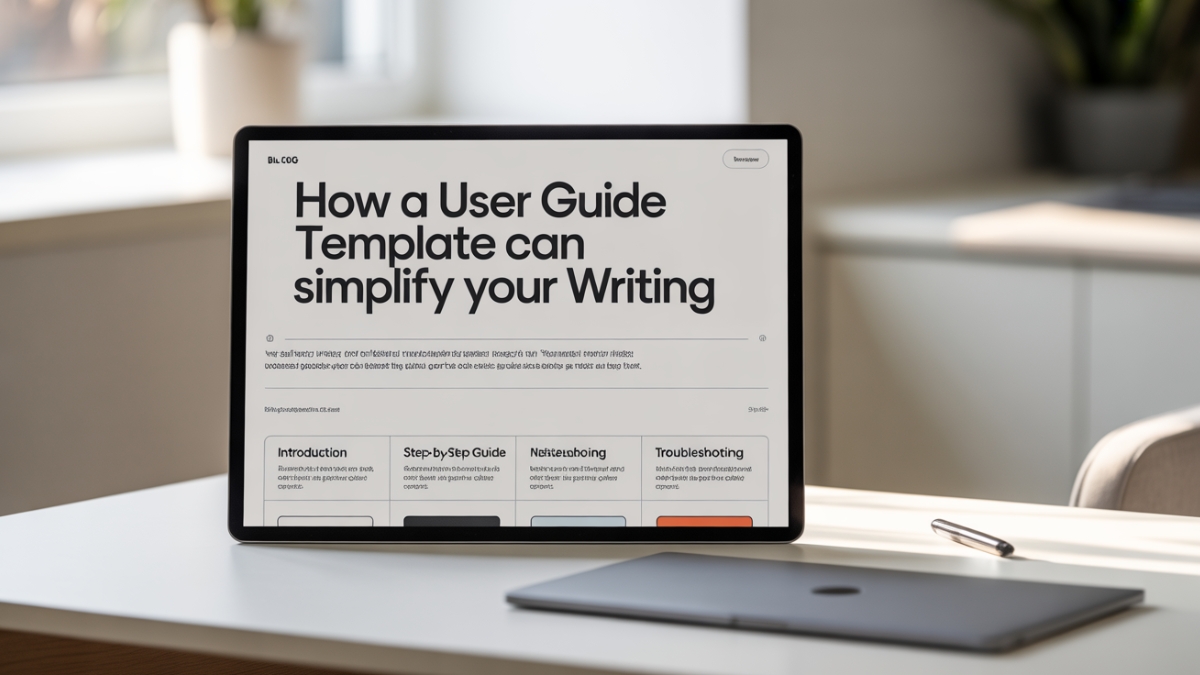
At its core, a user guide template is a blueprint designed to help writers create comprehensive and organized user manuals. It offers preformatted sections such as introductions, step-by-step instructions, troubleshooting guides, and FAQs, saving the writer from having to start from scratch each time.
These templates come in many forms depending on the product or service being documented. For instance, a software user guide template focuses on features, installation steps, and error handling, while a product user guide template might prioritize assembly instructions and maintenance tips. The widespread availability of user guide example templates online shows just how essential these frameworks have become for efficient documentation.
A key benefit of templates is that they cater to different skill levels. Even users with limited design or writing experience can produce professional-looking guides by following the pre-established structure. Furthermore, templates help enforce best practices in documentation by embedding standard formatting, consistent headings, and appropriate content flow.
Because these templates are reusable and customizable, they’re particularly valuable for businesses producing multiple products or software versions, enabling documentation teams to maintain uniformity and brand voice without reinventing the wheel every time.
Why Using a User Guide Template Matters: Addressing Common Pain Points
Many professionals tasked with documentation find themselves overwhelmed by the dual challenge of writing clear instructions and designing an attractive, easy-to-navigate layout. This difficulty is compounded by frequent time constraints, a lack of specialized skills in graphic design, and the pressure to deliver error-free, professional materials quickly.
The beauty of a user guide template lies in its ability to alleviate these pain points. First, it reduces the need for design expertise by providing an already polished format. Instead of agonizing over fonts, spacing, or alignment, you can dive straight into content creation. This saves significant time, especially when deadlines loom.
Consistency is another major advantage. When every guide follows the same format, users know exactly where to find information, which reduces frustration and support calls. Consistent formatting also reflects well on the brand’s professionalism and reliability.
Templates also help mitigate the common issue of “blank page syndrome,” where starting documentation from zero becomes a psychological barrier. A ready-to-use template guides your thinking process and ensures you don’t miss important sections.
By standardizing the process, user guide templates empower writers to focus on what really matters: producing accurate, user-centric content that simplifies the product experience.
Features of an Effective User Guide Template
An effective user guide template must be thoughtfully designed to meet the needs of diverse users and products. One of the most important features is customizability. A rigid template can quickly become frustrating if it doesn’t allow you to add or remove sections based on your specific product or audience requirements. The ideal template offers modular sections you can rearrange, expand, or condense as needed.
Another key feature is an intuitive layout. The guide should be easy to navigate, with clear headings and subheadings that logically divide the content. This helps users quickly locate the information they need and supports a smoother reading experience.
Visual aids are indispensable in user guides. Good templates allocate space for screenshots, flowcharts, or diagrams, which significantly enhance comprehension. This is particularly important for complex products where step-by-step visuals reduce user errors.
Additionally, compatibility with common editing tools—like Microsoft Word, Google Docs, or specialized documentation software—is essential. This ensures that you don’t waste time wrestling with incompatible formats or steep learning curves.
An excellent user guide template also anticipates the need for supplementary sections such as FAQs, troubleshooting, and safety instructions, providing a comprehensive toolkit for all user scenarios.
How to Customize a User Guide Template to Fit Your Needs
The true power of a user guide template lies in its flexibility. Customizing the template to align with your brand identity and product specifics can transform a generic document into an authoritative resource that resonates with your audience.
Start by analyzing your product and users. Consider the complexity of the product, the technical proficiency of your target audience, and any unique features or challenges that need addressing. Based on this, add or remove sections to ensure the guide covers everything relevant without overwhelming the reader.
Incorporating your company’s branding is crucial for professionalism and recognition. This includes logos, brand colors, typography, and tone of voice. Customizing the template ensures that your guide feels like an integral part of your product ecosystem, building user trust.
Real-world example: A small business owner selling home automation devices struggled to create manuals that their customers found intuitive. By customizing an existing user guide template—adding tailored troubleshooting tips, branded design elements, and simplified language—they reduced customer service calls by 30% within six months. The guide became a key tool in customer satisfaction and product adoption.
Finally, always pilot your customized guide with actual users. Their feedback will highlight areas for refinement and help you fine-tune the template for maximum effectiveness.
Step-by-Step Guide to Creating a User Guide Using a Template
Creating a user guide with a template involves several clear, logical steps that streamline the documentation process.
Start with thorough planning: gather all relevant information about your product, including features, use cases, technical specifications, and common issues users face. This preparation ensures your content is accurate and complete.
Next, choose the template best suited to your product. Whether you’re documenting software, hardware, or a service, the right template provides the perfect structural skeleton to start filling in.
Populate the template’s sections carefully, writing clear, concise instructions. Use short paragraphs and bullet points for easy scanning. Where applicable, integrate images or diagrams to visually demonstrate complex steps or warnings.
After drafting, review the guide for clarity, grammar, and completeness. If possible, have a subject matter expert or potential user test the guide, providing invaluable feedback.
| Step | Action | Purpose |
| 1. Planning | Collect product info | Accuracy and completeness |
| 2. Template selection | Choose appropriate framework | Saves formatting time |
| 3. Content creation | Fill in instructions and steps | Clarity and user-friendliness |
| 4. Add visuals | Insert images and diagrams | Enhance comprehension |
| 5. Review and test | Edit and user feedback | Ensure usability |
This methodical approach maximizes the benefits of using a template, turning a potentially overwhelming task into an organized and manageable process.
Case Studies: How User Guide Templates Improved Documentation Efficiency
Real-world success stories demonstrate the tangible benefits of user guide templates.
At a leading software firm, a product manager implemented a software user guide template across multiple projects. Before, documentation often lagged behind releases, frustrating users. After adopting the template, the team cut guide creation time by nearly 70%, aligning documentation rollout with product updates. User satisfaction scores increased, with many praising the clarity and accessibility of the new guides.
In another example, a freelance technical writer serving various clients relied heavily on a user guide template example to standardize work. This approach improved consistency across diverse products and allowed faster turnaround without sacrificing quality. The writer saw repeat business increase by 40% due to positive client feedback on deliverables.
These examples underscore the scalability and adaptability of user guide templates in different professional settings.

Common Mistakes to Avoid When Using User Guide Templates
While templates are powerful, misuse can undermine their benefits.
One frequent mistake is over-reliance without customization. Simply filling in the blanks can result in generic, unengaging guides that fail to address specific user needs. Tailoring content and design is crucial to keep the guide relevant and effective.
Ignoring user feedback is another pitfall. A guide that looks perfect on paper might confuse real users. Incorporating user testing and iterating based on comments ensures the guide truly supports its audience.
Finally, avoid cluttering your guide with excessive visuals or jargon. Overloading users can overwhelm rather than assist. Balance is key: visuals should clarify, and language should be accessible.
Being mindful of these issues safeguards the effectiveness and professionalism of your documentation.
Tools and Resources for Finding and Using User Guide Templates
Selecting the right tools and sources for templates can enhance your documentation workflow dramatically.
Popular platforms like Microsoft Word and Google Docs offer basic but versatile user guide templates ideal for small projects or teams without specialized software. These options are accessible, familiar, and easy to share for collaboration.
For more complex needs, dedicated documentation software like MadCap Flare, HelpNDoc, or DocuPilot provide advanced template management, multi-format publishing, and integration with development workflows. These tools are favored by large enterprises and technical writing professionals for their scalability and control.
There’s a wide variety of free and premium templates available online, catering to different industries and document types. While free templates are great for experimentation, premium options often provide enhanced design, support, and updates.
| Platform/Tool | Best Use Case | Pricing |
| Microsoft Word | Basic guides and flexibility | Included with Office |
| Google Docs | Collaboration and sharing | Free |
| MadCap Flare | Complex technical documentation | Paid |
| HelpNDoc | Multi-format publishing | Paid |
Choosing the right tool depends on your documentation scale, budget, and technical requirements.
Conclusion: Maximize Your Documentation Workflow with User Guide Templates
Incorporating a well-designed user guide template into your documentation process is more than just a convenience—it’s a strategic move that enhances clarity, saves time, and elevates the professionalism of your guides. Whether you’re a technical writer aiming for precision, a product manager balancing multiple deadlines, or a small business owner focused on customer satisfaction, templates provide the structure and support you need.
By customizing templates to fit your unique requirements and leveraging their built-in best practices, you ensure your documentation is not only efficient to produce but also effective in serving your users.
Frequently Asked Questions
What is a user guide example template?
A user guide example template is a sample framework showcasing the typical structure, sections, and style of a user guide. It serves as a reference to help writers craft their own manuals efficiently.
How do I choose the best user guide template for my product?
Identify your product type, user expertise, and documentation complexity. Select a template that offers flexibility, fits your industry, and supports necessary visual elements.
Can I customize a user guide template easily?
Yes. Most templates are designed for easy editing and allow you to modify text, add images, and adjust layout to suit branding and content needs.
What should a good user guide template include?
Essential sections like an introduction, detailed instructions, troubleshooting, FAQs, and visual aids. It should also have a clean, navigable format and be adaptable to your audience.
Are there free user guide templates available?
Yes, many platforms offer free templates suitable for simple documentation needs. Premium templates provide advanced features and professional designs.
How does a user guide template help with writing efficiency?
By providing a pre-structured layout, templates reduce the time spent on design and organization, allowing writers to focus on delivering clear, user-focused content.

Robert Martin is a passionate blogger and versatile content creator exploring the intersections of personal finance, technology, lifestyle, and culture. With a strong background in financial literacy and entrepreneurship, he helps readers make smarter money moves, build sustainable side hustles, and achieve financial independence.
Beyond finance, Robert shares his insights on home decor and gardening—offering practical ideas for creating beautiful, functional living spaces that inspire comfort and creativity. He also dives into the dynamic worlds of sports and celebrity news, blending entertainment with thoughtful commentary on trends that shape today’s pop culture.
From decoding the latest fintech innovations to spotlighting everyday success stories, Robert delivers content that’s informative, relatable, and actionable. His mission is to empower readers to live well-rounded, financially confident lives while staying inspired, informed, and ahead of the curve.