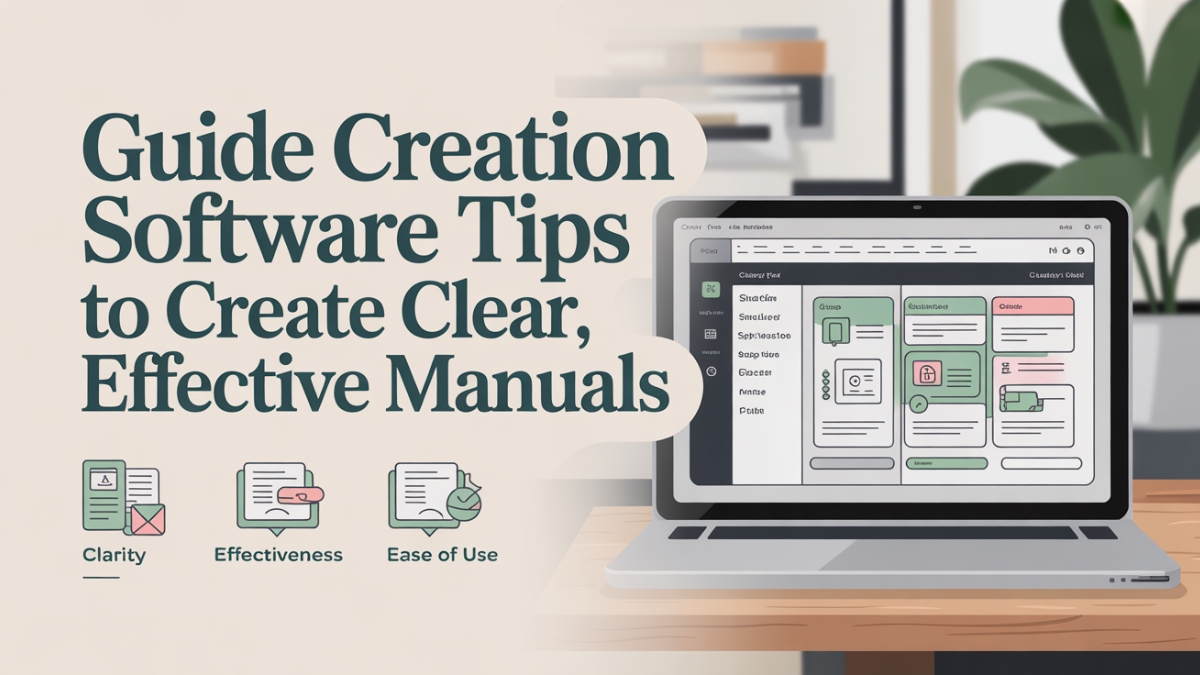
Effective manuals are no longer a “nice to have”—they’re foundational to operational excellence in any organization. In today’s business landscape, teams are distributed, products evolve rapidly, and user expectations for clarity and speed have never been higher. Yet, many professionals still rely on outdated documentation tools that lead to version control issues, inefficiency, and confusion. This is where guide creation software transforms the game.
Clear, concise manuals reduce the learning curve for new employees, improve customer onboarding, and streamline internal processes. According to a report by McKinsey & Company, organizations that standardize and digitize their documentation practices can improve productivity by 25% to 30%. In contrast, organizations with poorly maintained or fragmented manuals often experience redundant work, miscommunication, and increased support costs.
More importantly, well-structured manuals ensure business continuity and compliance, especially in industries where regulation and accuracy are paramount. From IT and manufacturing to healthcare and education, the right documentation enables staff to work confidently and customers to engage independently. Investing in robust guide creation software doesn’t just make writing easier—it enhances team performance, reduces support costs, and builds trust with stakeholders.
Whether you’re part of a growing tech startup, a seasoned operations team, or a global enterprise, this article will guide you through actionable strategies and real-world insights to get the most from your guide creation efforts.
Table of Contents
The Evolution from Static Docs to Smart Manuals
Gone are the days when documentation meant cluttered folders of Word files or static PDFs buried deep in company drives. Businesses are now adopting dynamic, cloud-based manuals powered by guide creation software. This shift addresses long-standing pain points like version control issues, lack of collaboration, and time-consuming updates.
Legacy documentation systems have several inherent flaws. They’re difficult to maintain, hard to search through, and often lack consistency. For example, a tech company using spreadsheets and Word documents to document onboarding processes found that it took new hires nearly two weeks longer to become productive compared to peers using digital manuals. Static docs simply don’t scale well—especially when procedures change regularly or when multiple contributors are involved.
Smart manuals, on the other hand, are interactive, centralized, and often searchable by keyword or category. Built with advanced guide tools, they allow organizations to update content in real time, embed multimedia for richer instruction, and support collaborative editing. This ensures that your team always has access to the latest, most accurate information—without endless email chains or document version confusion.
Moreover, smart manuals improve user engagement and reduce cognitive load by breaking down complex processes into digestible content blocks. This structure is especially useful in industries like SaaS or manufacturing, where detailed, step-based instruction is critical.
Core Features to Look for in Guide Creation Software
Choosing the right guide creation software means identifying the features that align with your goals, team size, and documentation needs. Not all tools are created equal, and overlooking certain core functionalities can lead to frustrations down the line.
One of the most crucial features is customizable templates. These allow you to create on-brand, structured manuals consistently across different teams. Rather than starting from scratch every time, users can duplicate and tweak templates, saving time and maintaining uniformity.
Multimedia embedding is another essential feature. Instructions are far more effective when supported by visuals—screenshots, GIFs, or videos help clarify tasks that would otherwise require lengthy explanations. A clear demonstration reduces ambiguity and enhances comprehension.
Collaboration tools also play a vital role. Look for role-based access, commenting, and editing capabilities so that multiple team members can contribute, review, and approve documentation in real-time. This ensures accountability and speeds up content creation cycles.
Here’s a feature comparison of popular guide tools:
| Feature | Scribe | Document360 | Trainual | Helpjuice |
| Customizable Templates | ✅ | ✅ | ✅ | ✅ |
| Multimedia Embedding | ✅ | ✅ | ✅ | ✅ |
| Real-Time Collaboration | ✅ | ✅ | ✅ | ❌ |
| Version Control & Rollback | ✅ | ✅ | ✅ | ✅ |
| Analytics & Feedback | ✅ | ✅ | ✅ | ✅ |
| Role-Based Access | ✅ | ✅ | ✅ | ✅ |
Ultimately, the best software will scale with your team, integrate with your existing tools, and offer the flexibility to tailor documentation for different audiences—whether that’s internal staff or external users.
Creating Effective Manuals: A Step-by-Step Framework
Building a professional and clear manual isn’t just about writing—it’s a structured process that combines planning, design, and iterative improvement. A solid framework ensures your manual is both user-friendly and future-proof.
Step 1: Define the Purpose and Audience
Before creating content, clarify who the manual is for and what it aims to achieve. A guide for new hires will differ vastly from one for software end-users or compliance officers.
Step 2: Choose the Right Tool
Select a manual maker software that meets your team’s collaboration, version control, and branding requirements. For instance, a remote-first team may benefit more from cloud-native platforms like Document360 or Scribe.
Step 3: Structure Your Content Logically
Organize your content with a table of contents, headers, and subheaders. Use consistent formatting to ensure readers can quickly scan and find relevant sections. A clear structure reduces time-to-value for the reader.
Step 4: Write Clearly and Concisely
Use short sentences, active voice, and plain language. Avoid jargon unless it’s industry-standard and essential for understanding. Where technical terms are required, include a brief explanation or link to a glossary.
Step 5: Add Visual Support
Embed annotated screenshots, instructional videos, and GIFs directly into the manual. These not only aid comprehension but also accommodate different learning styles.
Step 6: Collaborate and Review
Assign roles for writers, reviewers, and approvers. Encourage feedback from actual users to identify blind spots and refine the content for clarity and accuracy.
Step 7: Publish and Maintain
Once published, regularly review and update the manual. Most guide creation platforms offer scheduling tools or reminders to help maintain documentation relevance.
Writing with Clarity: The Secret Sauce of Effective Manuals
Writing isn’t just about putting words on a screen. The goal of a manual is to guide, not confuse. Writing with clarity ensures users can follow instructions without second-guessing or seeking help.
One of the biggest mistakes teams make is assuming the user already knows the context. Every instruction should stand alone. Begin with a verb (e.g., “Click the ‘Submit’ button”) and avoid passive constructions that obscure responsibility.
Instead of:
“The button can be clicked after the form is filled.”
Say:
“Click ‘Submit’ after completing all fields.”
Short sentences improve readability and make content easier to follow. Use white space generously and break up dense content into manageable paragraphs.
Avoid jargon unless your audience is technical. For instance, instead of saying “instantiate a new repository,” write “create a new code repository.” When jargon is unavoidable, provide brief explanations or tooltips.
Use real examples where possible. Instead of abstract instructions like “navigate to the settings panel,” add: “Click your profile picture in the top-right corner, then choose ‘Settings’ from the dropdown menu.”
Design also plays a supporting role in clarity. Use bolding for UI elements, headings for new sections, and icons or callouts for warnings and tips.

Case Studies: Impact of Guide Creation Software
Understanding the practical benefits of guide creation software is easier when you look at how real companies are using it. These case studies illustrate the significant impact smart documentation can have on operations, training, and customer satisfaction.
Case Study 1: SaaS Startup Slashes Support Tickets
A mid-sized SaaS company that provides CRM software struggled with repetitive support tickets, most of which stemmed from users misunderstanding setup procedures. They adopted Scribe, a popular user guide maker, to build interactive walkthroughs and task-based manuals.
By embedding these guides directly into their app, users received contextual help without needing to contact support. Within 90 days, the company saw a 38% reduction in support ticket volume and a 25% increase in user satisfaction scores. Onboarding time for new users dropped from 14 days to just 6.
Case Study 2: Manufacturing Company Accelerates Training
A global manufacturing firm with over 1,500 employees used printed SOPs and binders to train new hires. Training was slow and prone to inconsistencies. When they switched to Trainual, a guide tool that allows embedding video tutorials and step-by-step checklists, training time decreased by 40%.
Managers reported that employees not only completed training faster but retained more information due to the visual and interactive format. Real-time tracking allowed supervisors to monitor progress and identify gaps in understanding immediately.
| Business Type | Tool Used | Results After 3 Months |
| SaaS (CRM) | Scribe | -38% support tickets, +25% user satisfaction |
| Manufacturing | Trainual | 40% faster onboarding, better knowledge retention |
These examples underscore the versatility of guide creation software across industries and business functions. Whether you’re managing customer education or internal operations, these tools provide measurable ROI.
Collaboration and Feedback: Building Better Manuals Together
Documentation is rarely a solo task. The best manuals result from collaboration, feedback, and iteration. With the right guide tool, documentation becomes a shared responsibility—not just a job for the tech writer or operations manager.
Modern guide creation software enables role-based access, meaning contributors, editors, and reviewers can work simultaneously without overwriting each other’s content. A product manager may add a new feature explanation, while a designer can upload relevant visuals, and a legal reviewer ensures compliance with policies—all within one unified platform.
Collaboration also enhances accuracy. By involving subject matter experts in the documentation process, companies ensure their manuals reflect current workflows and best practices. This approach helps avoid the “one-person bottleneck” that slows documentation updates.
Real-time commenting and notifications further streamline communication. Rather than long email chains, contributors can discuss specific steps or clarify terms directly within the manual interface. Once changes are made, reviewers can approve versions, track history, and roll back if needed.
Feedback from end users is just as valuable. Some guide platforms allow users to rate guides, suggest edits, or report unclear steps. These insights help teams refine documentation continuously, making it more effective over time.
The most successful companies treat their documentation like a product—something that is constantly improved based on real-world use and feedback.
Common Documentation Mistakes That Sabotage Clarity
Even with the best guide creation software, poor practices can derail your documentation. Here are some common pitfalls and how to avoid them:
Overwhelming Walls of Text
Nothing disengages a reader faster than long, uninterrupted blocks of text. Readers—especially new hires or customers—scan before they read. Without visual breaks, callouts, or clear formatting, they may give up altogether.
Lack of Visual Hierarchy
Using inconsistent headers, poor spacing, or mismatched fonts makes a manual harder to follow. A consistent structure helps readers predict where to find information and reduces cognitive load.
Unclear Terminology
Technical jargon without context can alienate readers. For example, instead of writing “instantiate a variable,” write “create a new variable (a placeholder to store values).” Always write for the least experienced reader in your target audience.
Outdated Content
Manuals that don’t reflect current processes or UI changes erode trust. Guide creation software helps by enabling scheduled content reviews and alerts when content hasn’t been updated in a while.
Lack of User Testing
Many teams write guides without testing them. The best way to validate a manual is to have someone follow it without help. This reveals unclear steps, missing details, or confusing terminology.
Avoiding these mistakes isn’t difficult—but it does require intention. With smart planning and good tools, you can create documentation that informs, empowers, and builds confidence in your audience.
Maintaining and Updating Manuals: A Continuous Process
Documentation isn’t a one-and-done task. It’s a living resource that needs regular attention to remain useful. One of the most overlooked benefits of modern guide creation software is the ability to schedule reviews and make updates quickly.
Process changes, product updates, and organizational shifts all affect documentation. When teams use static documents like PDFs or Word files, these changes often result in conflicting versions scattered across email threads or file shares.
With dynamic guide tools, updates happen in one place and are instantly visible to all users. Most platforms support version control, allowing you to track edits, view history, and revert to previous versions if needed. You can also set review cycles, so every document is checked quarterly or bi-annually for relevance.
Another best practice is assigning documentation ownership. Instead of relying on a single technical writer, teams should designate SMEs for different sections. For example, a support manager owns the FAQ section, while HR owns the onboarding guide. This ensures each manual is accurate, up-to-date, and tailored to the audience.
Analytics also support maintenance efforts. If a section of your guide has low engagement or a high bounce rate, it may signal that content is unclear or irrelevant. Most user guide maker tools offer basic analytics to help teams improve weak spots.
Treat your manuals like digital products that require maintenance and user testing. This mindset will help you maximize their value over time.
Conclusion: Manuals That Empower Teams and Scale Businesses
Smart businesses understand that documentation is more than a compliance checkbox—it’s a strategic asset. With the right guide creation software, organizations can eliminate guesswork, boost productivity, and provide consistent experiences for both customers and employees.
From reducing support requests to accelerating onboarding and improving operational efficiency, the ROI is tangible. Equally important, documentation fosters a culture of clarity and shared knowledge. It ensures that no matter how fast your team grows or how often your product evolves, everyone is on the same page—literally.
In an era where change is constant and time is precious, investing in great documentation isn’t just smart—it’s essential.
Frequently Asked Questions
What is the best guide tool for small businesses?
Small businesses benefit most from tools like Scribe or Trainual, which offer intuitive interfaces, cost-effective plans, and essential features like templates and collaboration.
How does manual maker software improve team productivity?
Manual maker software reduces back-and-forth communication by providing one source of truth. It enables faster onboarding, reduces repetitive questions, and speeds up task execution.
Can a user guide maker support multimedia content?
Yes. Most modern platforms support embedded images, videos, GIFs, and even live links—making manuals more interactive and easier to follow.
What industries benefit most from guide creation software?
Industries like SaaS, manufacturing, healthcare, education, and e-commerce benefit from guide tools, especially those with complex processes or compliance needs.
Is guide creation software secure for sensitive data?
Enterprise-grade tools offer encryption, role-based access, SSO, and audit logs, ensuring sensitive documents remain protected.
How often should manuals be updated in manual maker software?
A best practice is to review every manual quarterly. Most tools offer reminders and version control to make this easy.

Robert Martin is a passionate blogger and versatile content creator exploring the intersections of personal finance, technology, lifestyle, and culture. With a strong background in financial literacy and entrepreneurship, he helps readers make smarter money moves, build sustainable side hustles, and achieve financial independence.
Beyond finance, Robert shares his insights on home decor and gardening—offering practical ideas for creating beautiful, functional living spaces that inspire comfort and creativity. He also dives into the dynamic worlds of sports and celebrity news, blending entertainment with thoughtful commentary on trends that shape today’s pop culture.
From decoding the latest fintech innovations to spotlighting everyday success stories, Robert delivers content that’s informative, relatable, and actionable. His mission is to empower readers to live well-rounded, financially confident lives while staying inspired, informed, and ahead of the curve.