Introduction: Why an AI Prompt Library is the Secret Weapon for Creators
The boom of AI tools like ChatGPT, Midjourney, and Claude has unlocked extraordinary creative potential. But with great power comes a new kind of challenge: figuring out how to get the best results from these models. That’s where the AI prompt library comes in. Whether you’re a content creator, digital marketer, educator, or developer, mastering the language you use to “speak” to your AI is the key to unlocking consistent, high-quality output.
Prompting, at its core, is how we instruct AI. Yet, crafting the perfect prompt from scratch every single time is not only inefficient but also creatively draining. Many creators waste hours repeating themselves, making minor tweaks to prompts they wrote last week. Worse still, they lose track of what worked and what didn’t.
The AI prompt library solves all of this by organizing prompts into reusable, categorized collections. It’s like building your own creative command center—ready for action at any moment. It eliminates writer’s block, boosts content productivity, and ensures your outputs remain on-brand and task-specific. From YouTube scriptwriting to technical document generation, prompt libraries allow creators to scale their imagination without reinventing the wheel every time.
Key Takeaways
Table of Contents
The Rise of Prompt Engineering and Its Role in AI Creativity
Prompt engineering has become the foundation of successful AI-human collaboration. Unlike traditional programming or content writing, it requires a unique blend of language skill, intent articulation, and psychological understanding. Think of it as the art of “instructive conversation”—where your message must be precise enough to guide an AI model, yet flexible enough to generate creativity.
For instance, if you’re asking ChatGPT to write a persuasive product description, the difference between “Write a short description” and “Write a persuasive, benefit-driven product description targeting eco-conscious Gen Z buyers” can be night and day. This clarity, nuance, and direction is what separates mediocre AI output from something usable, even remarkable.
The demand for this skill is skyrocketing. In 2024, over 72% of companies using generative AI reported that prompt engineering has become a “core part” of their content or automation workflows, according to a report by McKinsey & Company. In real-world terms, a digital marketer at a startup might use prompt engineering to generate 50 A/B tested Facebook ad variants in 30 minutes—something that would have taken days manually.
This explosive demand is why the AI prompt library is becoming more essential. It’s not just a nice-to-have resource; it’s a critical system that empowers creators to scale without losing quality. Professionals are treating prompt crafting with the same seriousness as coding, branding, or storytelling. And a prompt library ensures they’re never starting from zero.
What is an AI Prompt Library?
At its simplest, an AI prompt library is a structured collection of reusable prompts designed for different tasks, platforms, tones, or use cases. But more than a collection of text, it’s a workflow-enhancing tool that brings structure to the often chaotic world of prompt creation. Unlike a simple text document or scratchpad filled with one-off instructions, a prompt library is intentionally organized to drive consistent results and scale.
Let’s take a freelance writer as an example. They might have prompts saved for writing blog intros, product descriptions, ad copy, and client email drafts. Without a library, these prompts are scattered across old chats or notes. With a prompt library, each one is labeled, tested, and tagged for specific tones, outcomes, and industries—making them searchable and instantly reusable.
Prompt libraries are not one-size-fits-all. They evolve based on the AI models used (GPT-4, Claude, Gemini), the creator’s objectives, and the types of outputs desired. Many creators now include usage notes, expected word count, and even ideal response formatting. This level of detail significantly increases both efficiency and the reliability of AI outputs.
Below is a practical structure of a high-quality prompt library:
Component | Purpose |
Prompt Template | The core instruction for AI |
Use Case | Task type (e.g., blog intro, SEO title, code snippet) |
Tone/Voice | Helps maintain brand or persona consistency |
Output Format | Bullet points, paragraphs, markdown, etc. |
AI Model | Indicates prompt performance per platform (GPT-4, Claude) |
Notes/Instructions | Optimization tips and context for prompt use |
Having such a system means never losing a great prompt again—and always being ready to scale content generation on-demand.
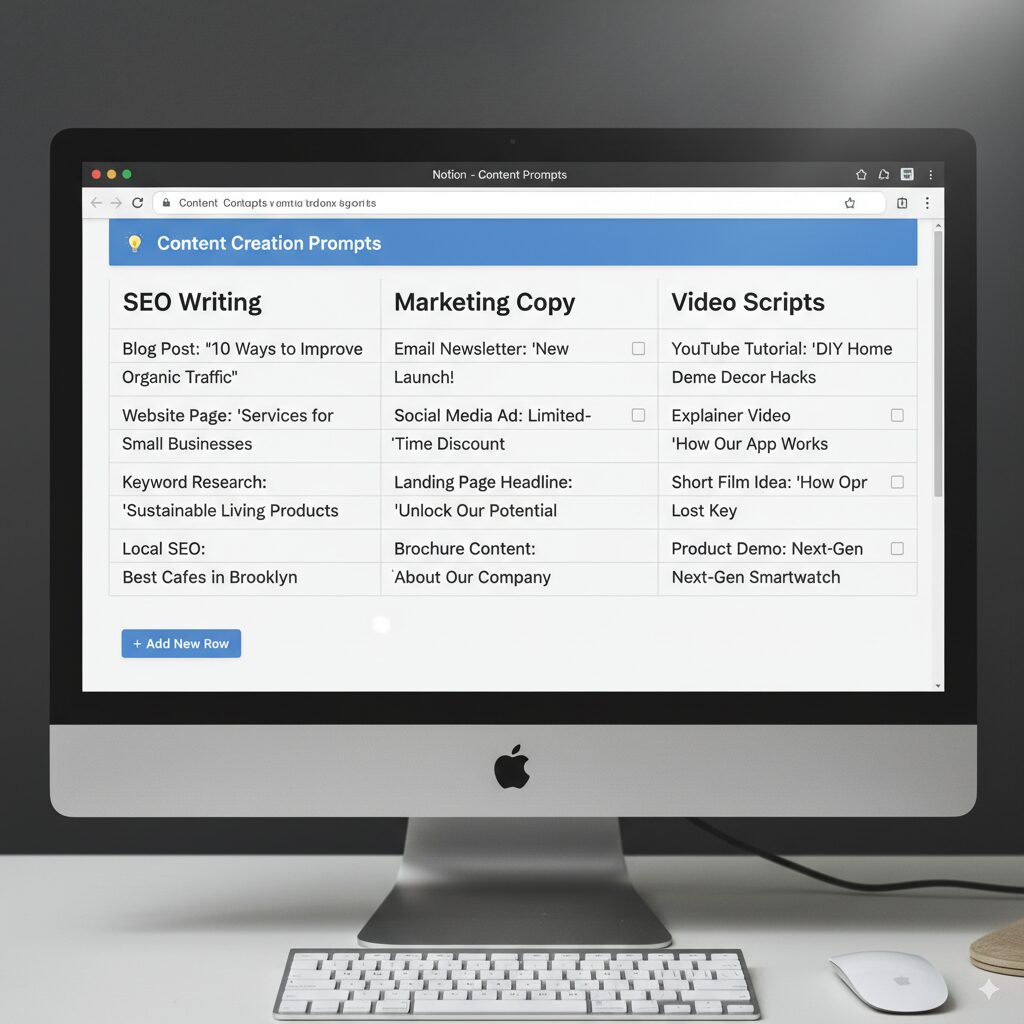
UI layout of a categorized AI prompt library in Notion or spreadsheet
Anatomy of an Effective Prompt Library
A great AI prompt library doesn’t just hold prompts—it curates them. Like any powerful tool, its efficiency lies in how well it’s structured. If you’ve ever scrolled endlessly through a disorganized document looking for that “one perfect prompt,” you know the importance of a well-built system.
An effective prompt library usually starts with a clear architecture. It separates prompts by category (like tone, function, platform, or content type), making them easy to find. Metadata is critical—adding tags like “casual,” “technical,” “short-form,” or “GPT-4 tested” drastically cuts down your search time.
Let’s dive into what makes a library genuinely functional:
Here’s a table to visualize how different creators may build their prompt libraries:
User Type | Prompt Categories | Tags Used |
Content Creator | Blog intros, Hooks, YouTube scripts | Creative, Casual, GPT-4 |
Developer | Code generation, Debugging | Technical, Markdown, GPT-4, Structured |
Marketer | Ad copy, Landing pages, Email subject lines | Persuasive, Short-form, A/B test-ready |
Educator | Lesson plans, Explanations, Student responses | Informative, Simplified, Structured |
How Creators Are Scaling Content with Prompt Libraries
Real-world applications reveal just how transformative a structured prompt library can be. Across industries, creators are accelerating production, improving quality, and eliminating creative fatigue—all by implementing an AI prompt library tailored to their workflows.
Solo Entrepreneur & Blogger
Marissa, a wellness blogger with a packed schedule, struggled to maintain consistency in publishing. By setting up a prompt library with categorized instructions for headlines, blog intros, product reviews, and SEO meta descriptions, she cut her writing time by 65%. Using the same proven prompts, she created five blog posts a week—up from just two—while maintaining tone and quality.
Startup Marketing Team
A SaaS company’s marketing team was producing inconsistent ad copy due to team turnover and lack of centralized prompting standards. By building a shared prompt library in Notion, they standardized brand voice across emails, social ads, and landing pages. This not only unified messaging but also improved conversion rates by 22% on A/B tested email campaigns.
YouTube Creator Scaling Two Channels
A creator managing two distinct YouTube channels used AI for scripting, titles, and video descriptions. With a categorized prompt library tailored to each channel’s niche and tone, he tripled his monthly uploads while maintaining audience engagement metrics. Prompt categories included “5-minute tutorial script,” “clickbait title generator,” and “casual channel intro.”
These success stories demonstrate that when prompts become reusable and refined, creativity scales effortlessly.
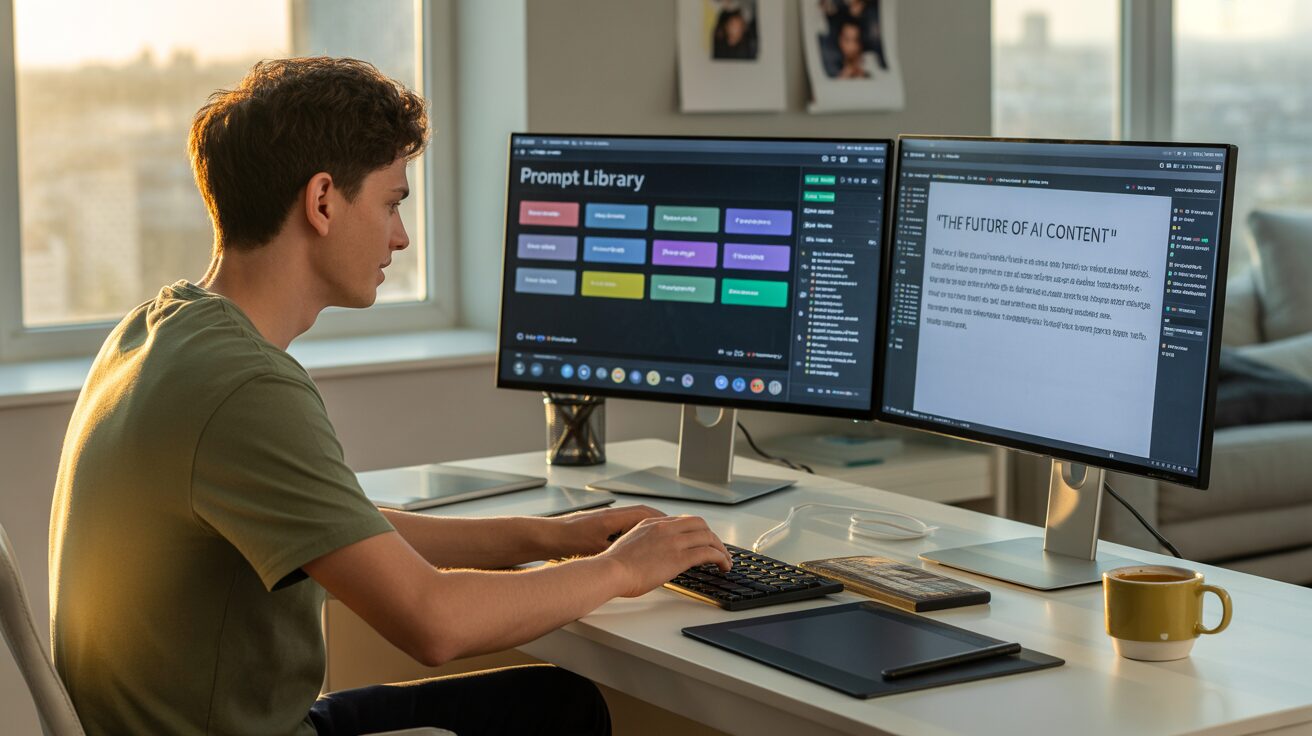
Photo-realistic scenario of a YouTuber using AI prompt library to generate scripts
Easy Prompt Library Tools You Can Use Today
Whether you’re just stepping into AI or managing multiple content pipelines, the right tool can make all the difference. An AI prompt library doesn’t have to be complex to be powerful—thanks to several user-friendly platforms, even beginners can build libraries that rival agency-grade systems.
Let’s explore the most accessible tools for building and managing your easy prompt library:
PromptHero
PromptHero is a popular community-driven marketplace for prompts across text, image, and video tools. It’s particularly useful for Midjourney and ChatGPT users looking to explore creative prompts from others. While not designed as a personal prompt manager, it’s excellent for discovering inspiration and best practices you can add to your private library.
FlowGPT
FlowGPT offers a dynamic way to find, test, and save prompts with an integrated social layer. You can follow creators, bookmark prompts, and organize them by tags and folders. What sets FlowGPT apart is its collaborative nature—you get access to hundreds of top-performing prompts from other creators.
AIPRM (AI Prompt Resource Manager)
Specifically designed for SEO professionals and marketers, AIPRM is a Chrome extension that embeds directly into your ChatGPT interface. It lets you save, organize, and execute SEO prompts with a click. It’s ideal if you’re focused on web content, metadata, and SERP-optimized writing.
Notion & Obsidian (Custom DIY Libraries)
If you prefer control and flexibility, Notion or Obsidian are your best bets. Notion offers a visual, database-style interface where you can tag and categorize prompts. Obsidian, on the other hand, is a markdown-based note-taking app perfect for technical creators who prefer fast navigation and version control.
Tool Comparison Table:
Tool | Best For | Features | Ease of Use |
PromptHero | AI Art & Text Inspiration | Community prompts, Midjourney support | Easy |
FlowGPT | Prompt Discovery | Social sharing, categorization, feedback | Easy |
AIPRM | SEO Content Generation | Built-in templates, SERP-focused | Moderate |
Notion | Custom Prompt Libraries | Databases, tags, cross-linking, sharing | Moderate |
Obsidian | Technical Documentation | Markdown support, local storage, versioning | Advanced |
Real-world users report dramatic improvements. For example, a freelance copywriter using AIPRM increased content turnaround time by 3x while maintaining keyword density. A YouTube educator leveraging Notion for prompt templates was able to onboard two VAs using standardized prompts, creating a scalable content system.
How to Build Your Own Prompt Library (Even If You’re Just Starting)
Creating your own AI prompt library might sound intimidating at first, but it’s surprisingly simple when broken into steps. In fact, this is where most creators gain control over their creative output—and where real productivity starts to happen.
Let’s walk through the practical process:
Step 1: Choose Your Platform
Start with tools you’re comfortable using. Notion is a favorite for its visual databases. Google Sheets works for quick edits and sharing. Obsidian is fantastic if you want to maintain everything locally in markdown format.
Step 2: Define Your Categories
Decide how you’ll organize your prompts. Common approaches include by content type (blogs, emails, videos), by function (brainstorming, summarizing), or by platform (LinkedIn, TikTok, GPT-4).
Step 3: Create Reusable Templates
Instead of writing new prompts every time, create templates that include variables like [Topic], [Audience], or [Tone]. These fields make your prompts adaptable across different use cases.
Step 4: Add Metadata
Each prompt should include a short note: what it’s for, when to use it, what model it works best with. Metadata increases the prompt’s discoverability later.
Step 5: Test, Refine, and Version
Prompt quality improves over time. Test them across models and tweak wording. Save updated versions when they perform better—especially for use cases like ad copy or SEO content where small changes can dramatically affect results.
For instance, let’s say you’re a podcaster. Your library might include:
Even if you only start with 5–10 prompts, you’ll quickly find ways to scale and improve them. The key is consistency—test, tweak, tag.
Common Mistakes When Using a Prompt Library (And How to Fix Them)
Even the most well-intentioned prompt libraries can fall short if they’re misused. Let’s explore common pitfalls and how you can sidestep them:
1: Overstuffing with Unorganized Prompts
Many creators excitedly add dozens of prompts but fail to categorize or tag them. This leads to a digital junk drawer where nothing is easy to find. The fix? Set clear categories from the beginning and maintain strict tagging rules. Think of it like a library catalog—every book (or prompt) must have its place.
2: Using Generic Prompts Without Context
A generic prompt like “Write an intro paragraph” may yield weak results. Without specifying the tone, audience, or purpose, the AI is flying blind. Solution? Embed clear instructions in your prompt templates and give as much context as possible.
3: Not Updating or Versioning
Prompt efficiency evolves. A prompt that worked well six months ago may no longer produce optimal results due to updates in AI models. Maintain a system where prompts are tested periodically, and old versions are archived or noted with performance tags.
4: One-Model Dependency
Some users create prompts specifically for GPT-3.5 or GPT-4 and ignore how these prompts behave in other models like Claude or Gemini. It’s wise to test prompts across platforms and note performance differences.
5: Lack of Testing
The best prompts are not just written—they’re tested. Run A/B tests with different versions of a prompt and evaluate outputs side by side. For high-stakes content (ads, product descriptions, lead magnets), this kind of refinement makes a measurable difference.
Solving these issues early saves countless hours of frustration and ensures your prompt library remains a dependable asset, not a chaotic mess.
The Future of AI Prompt Libraries: Smart, Dynamic, and Personalized
As AI tools evolve, so must our methods of using them. The next generation of AI prompt libraries will be smarter, more dynamic, and deeply personalized. The static spreadsheets and manually organized databases of today are gradually giving way to AI-assisted systems that learn, adapt, and grow with you.
Imagine a library that doesn’t just store prompts but recommends them based on your current project. Or better yet, an AI that automatically curates and organizes your best-performing prompts based on usage frequency and effectiveness. That’s not science fiction—it’s the near future.
Emerging Trends Shaping AI Prompt Libraries
1. AI-Assisted Prompt Curation:
Some tools are already experimenting with machine learning models that analyze your inputs and auto-suggest prompt variations. These tools could soon analyze your writing style, brand voice, and performance metrics to suggest prompt improvements in real-time.
2. Contextual Memory Integration:
Future AI prompt libraries will integrate with memory-based models like ChatGPT’s long-term memory or Claude’s contextual training. Your prompt library will evolve based on previous conversations, automatically refining tone, format, and context preferences.
3. Multi-Modal Prompt Libraries:
With the rise of tools like DALL·E, Midjourney, Sora, and Synthesia, prompts are no longer limited to text. Libraries will soon include prompts for generating images, videos, voiceovers, and code—all housed under one unified system.
4. Personalized Workflows:
Expect prompt libraries tailored to individual workflows, like “blog writing mode,” “email marketing mode,” or “LinkedIn content builder.” These smart libraries will activate relevant prompts, templates, and tools based on the project context you select.
One example of innovation here is Jasper AI’s integration with personalized content workflows. Based on your past articles, campaign data, and content briefs, it recommends AI prompts that align with brand tone and customer needs.
Future-ready Prompt Library Design Features:
Feature | Benefit |
AI-generated prompt suggestions | Save time and increase personalization |
Adaptive tagging system | Dynamic organization based on usage and relevance |
Integration with workflows | Smooth content execution across tools and formats |
Prompt performance analytics | Insights into which prompts produce top results |
These developments point toward a future where AI prompt libraries won’t just store knowledge—they’ll enhance your intelligence.
How to Turn a Prompt Library Into Your Creative Engine
Your AI prompt library should be more than a storage system—it should be a creative engine that powers your ideas from concept to execution. When set up strategically, your prompt library becomes the backbone of your entire AI-driven content workflow.
Let’s take a closer look at how to turn static prompts into a living system that drives continuous growth.
Make It the First Stop in Every Project
Instead of starting with a blank canvas, begin every creative project by consulting your prompt library. Whether you’re writing a product launch email or building a TikTok script, your prompt library acts as a starting point filled with proven, high-performing templates.
Build Feedback Loops
After generating content with your prompt, evaluate the output. Did it hit the tone? Did it serve its purpose? If not, make a note. Over time, these feedback loops improve the library’s effectiveness and ensure it stays aligned with your evolving needs.
Collaborate and Share
For teams, a shared prompt library becomes a powerful alignment tool. Everyone accesses the same tone, formatting rules, and strategic templates. This improves brand consistency, especially across large teams or outsourced workflows.
Automate Where Possible
Use tools like Zapier or Make.com to connect your prompt library to workflows. For example, generate a blog intro draft as soon as a new content brief is uploaded to Google Drive. Or use custom GPTs that reference your prompt library for context-sensitive responses.
Upgrade Prompt Variations
Use branching prompts to account for tone, format, or audience differences. A great example:
This one prompt could produce dozens of variations depending on your parameters.
Over time, this approach turns your prompt library into a scalable system—one that reflects your experience, creativity, and strategic edge.
Why Every Creator Should Invest in an AI Prompt Library Today
The ROI of building a personalized AI prompt library is massive—whether you’re a solo creator, agency, educator, or startup. It’s not just about faster content; it’s about smarter, more aligned, and more impactful work.
Cut Time, Boost Quality
Instead of rewriting prompts daily or digging through old conversations, you’ll have a structured system that’s instantly accessible. That’s hours saved every week and stress avoided during deadlines.
Consistency Across Channels
Whether you’re writing for Instagram, your blog, or product documentation, a prompt library helps ensure your tone, message, and intent remain consistent.
Scalable Creativity
The biggest win? Scaling. Your prompt library grows with you. As you add prompts, refine templates, and expand categories, your creative capacity multiplies—without increasing your workload.
Think of it like this: a writer with a 100-prompt library, categorized and refined, can generate 10x the content in the same amount of time as one without it. It’s not about writing harder. It’s about prompting smarter.
Professionals across industries—from video editors to educators—are investing in this infrastructure not just for speed, but for control. Control over the outcome, tone, accuracy, and strategy of everything their AI creates.
So why wait? Your AI prompt library isn’t just a tool. It’s your creative infrastructure.
Conclusion: Unlock Your Creative Flow with an AI Prompt Library
Creativity in the age of AI doesn’t come from raw talent alone—it comes from structured systems that amplify your thinking. The AI prompt library is exactly that: a dynamic, flexible, and high-leverage system designed to multiply your output without sacrificing quality.
We’ve explored how prompt libraries streamline workflows, reduce mental clutter, boost consistency, and adapt to your evolving needs. From the rise of prompt engineering to the future of personalized AI systems, one thing is clear: building your prompt library is no longer optional—it’s essential.
Whether you’re just starting with a few key prompts or managing an entire team’s content system, now is the time to invest in your prompt infrastructure.
Frequently Asked Questions
What is an AI prompt library?
An AI prompt library is a curated collection of prompts organized by category, tone, format, or task. It helps creators use AI tools more efficiently and consistently.
How do I start an easy prompt library for ChatGPT?
Begin with tools like Notion or Google Sheets. Categorize your prompts based on task (e.g., writing, ideation), add tags, and test their effectiveness regularly.
Are prompt libraries better than using random prompts?
Absolutely. Prompt libraries are structured, optimized, and consistent—unlike random prompts that lack context and quality control.
Can a prompt library improve AI-generated content quality?
Yes. With reusable, tested prompts, you’ll get more accurate, on-brand, and task-relevant results from your AI assistant.
What tools help manage a prompt library effectively?
Notion, FlowGPT, AIPRM, and Obsidian are top tools for creating structured prompt libraries tailored to individual or team workflows.
How often should I update my AI prompt library?
Update it monthly or after major AI model updates. Regular testing ensures prompts remain effective as language models evolve.

Robert Martin is a passionate blogger and versatile content creator exploring the intersections of personal finance, technology, lifestyle, and culture. With a strong background in financial literacy and entrepreneurship, he helps readers make smarter money moves, build sustainable side hustles, and achieve financial independence.
Beyond finance, Robert shares his insights on home decor and gardening—offering practical ideas for creating beautiful, functional living spaces that inspire comfort and creativity. He also dives into the dynamic worlds of sports and celebrity news, blending entertainment with thoughtful commentary on trends that shape today’s pop culture.
From decoding the latest fintech innovations to spotlighting everyday success stories, Robert delivers content that’s informative, relatable, and actionable. His mission is to empower readers to live well-rounded, financially confident lives while staying inspired, informed, and ahead of the curve.