Introduction to AI Book Editor Free Tools
The publishing landscape has changed—dramatically. Gone are the days when self-publishing authors had to spend thousands on editing services just to get a readable manuscript. Thanks to recent advances in artificial intelligence, there’s a growing collection of AI book editor free tools available, offering smart, fast, and often surprisingly accurate editing help without the hefty price tag.
This development is especially game-changing for budget-conscious, independent authors who are confident in their storytelling but need a little help with grammar, flow, and polishing their prose. Whether you’re writing your first book or your fifteenth, AI tools now act as writing assistants, catching errors, suggesting improvements, and helping you finish stronger.
These tools aren’t just spellcheckers on steroids—they’re full-fledged style editors that can adapt to your voice, tone, and even genre. This article explores the best free AI book editors in 2025, diving into how they work, who they’re best for, and how to maximize their potential to support your self-publishing journey.
Key Takeaways
Table of Contents
Why Self-Publishing Authors Need AI Editing Tools
Self-publishing is both empowering and exhausting. You’re responsible for everything—writing, editing, marketing, and publishing. Out of all these, editing is the most critical and often the most expensive. That’s where AI book editor free tools offer an essential lifeline.
Traditional editing services can cost anywhere from $1,000 to $4,000 for a full-length manuscript. For many indie authors, this is not just steep—it’s a dealbreaker. You might be willing to invest in a cover or pay for ISBNs, but shelling out thousands for editing isn’t always an option, especially if you’re working on multiple titles or publishing serial fiction.
AI tools reduce the financial burden while still ensuring a clean, readable manuscript. Take Grammarly, for example. It catches basic grammar issues, awkward phrasings, and even offers tone suggestions. ProWritingAid goes further by analyzing your sentence structure, passive voice, overused words, and pacing.
Here’s a real-world use case:
Jane K., a self-published romance author, edited her 75,000-word manuscript with a combination of Hemingway and Grammarly Premium’s free trial. She estimates she saved over $1,200 compared to hiring a developmental and line editor.
But it’s not just about savings. These tools are a confidence booster. Many authors doubt their editing skills. AI helps bridge that gap, providing a sense of control and clarity without requiring advanced knowledge of syntax or grammar rules.
Most importantly, AI tools work instantly. You don’t need to wait weeks for an editor to return your manuscript. Within minutes, you get actionable feedback—empowering you to publish faster and iterate quickly.
Top 7 Best Free AI Book Editors in 2025
Choosing the right tool can be overwhelming, especially with so many new AI apps on the market. To simplify, here’s a breakdown of the top 7 free AI book editing tools that authors are using successfully in 2025.
These tools stand out due to their mix of affordability, ease of use, and depth of editing. Whether you’re a minimalist writer or someone who loves diving into metrics, there’s an AI editor for you.
Tool | Key Features | Pros | Ideal For |
Grammar, tone, clarity suggestions | Easy UI, works in-browser & offline | Beginners and nonfiction writers | |
Deep grammar, style, pacing | Detailed reports, genre-specific settings | Fiction & long-form authors | |
Hemingway | Sentence complexity, readability | Highlights passive voice, free to use | Short stories, essays |
LanguageTool | Multilingual grammar and style checks | Great for non-native English authors | Multilingual or ESL authors |
Slick Write | Structure, grammar, readability | Fast and free, basic interface | Budget-conscious writers |
Quillbot | Paraphrasing, clarity | Rewriter with multiple tone options | Polishing awkward sentences |
Google Docs AI | Grammar and writing suggestions | Seamless integration with Google Docs | Collaborative editing projects |
Each tool offers something unique. For example, ProWritingAid is beloved by fiction authors who want detailed pacing reports and structure advice. In contrast, Hemingway Editor is great for nonfiction writers aiming to boost clarity and reduce complexity.
Many authors use a combo strategy—they run their manuscript through multiple tools to catch different issues. You could begin with Grammarly for basic grammar, then use ProWritingAid for style, and finish with Hemingway for readability.
Best AI Book Writers That Also Offer Editing Assistance
While some tools focus solely on editing, others combine AI writing and editing features, creating an all-in-one solution. These platforms help authors generate content, brainstorm ideas, and refine drafts—all in one place.
Leading AI Writing Tools with Editing Functions:
Tool | Editing Capabilities | Best Use Case |
Sudowrite | Scene rewrite, tone adjustments | Fiction, character-driven stories |
Rytr | AI writing + grammar correction | Outlines, blurbs, flash fiction |
NovelAI | Continuation, style mimicking | Genre fiction and interactive plots |
Long-form writing + tone control | Business, nonfiction, memoirs |
Take Sudowrite. It’s not just a generator — it rewrites awkward paragraphs and can adjust the tone from “angsty” to “playful” or “dramatic” with one click. It’s like having a co-writer who never sleeps.
Rytr is great for authors writing shorter content or blurbs. It offers light grammar checking and rewrite tools to polish content. Jasper AI, on the other hand, offers robust AI writing support with detailed outlines and editing tools that adapt to your style.
These tools are a blessing for authors who get stuck mid-draft or need help rephrasing flat scenes. You’ll often find that they offer editing suggestions after generating content—helping you improve on the fly.
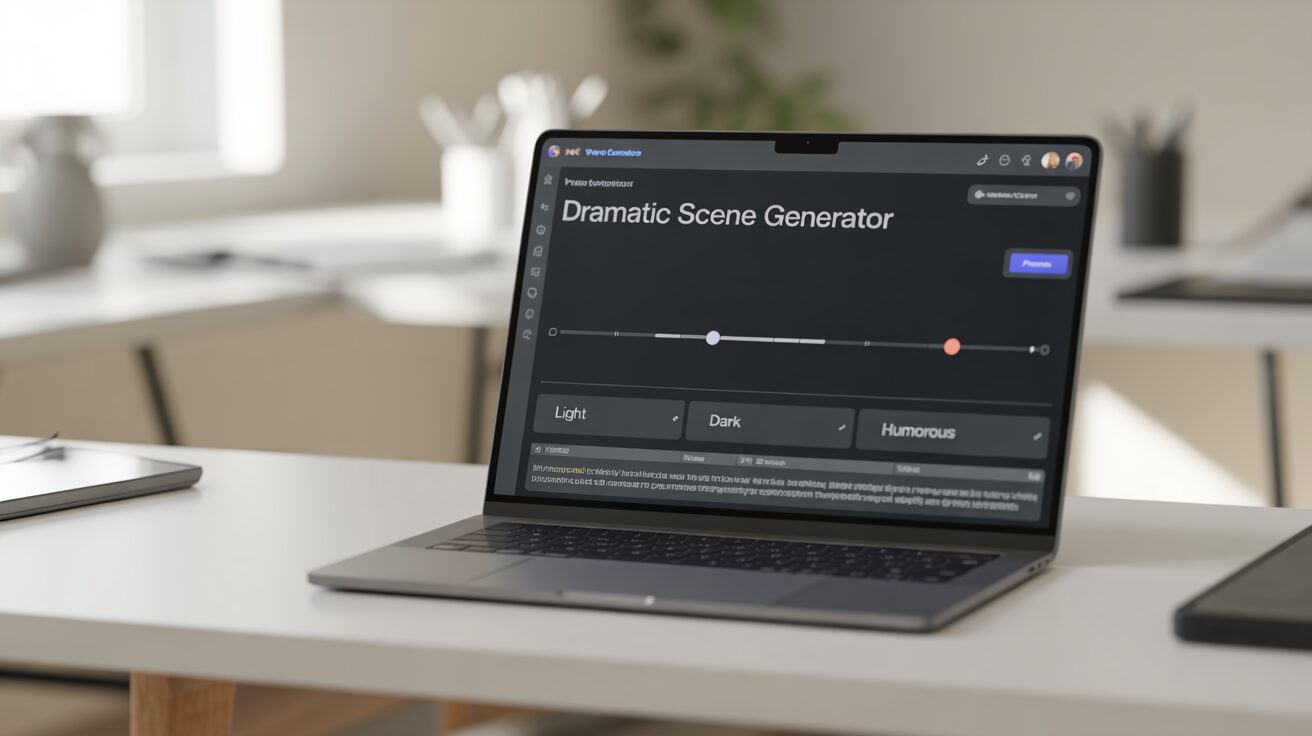
AI writer rewriting a book scene using tone control options
How to Use AI Editing Tools Effectively
To truly benefit from AI tools, authors need to develop a smart workflow. Throwing your manuscript into Grammarly and hitting “Accept All” isn’t enough. A structured approach will help you spot patterns, learn from mistakes, and ensure your book reads like it was professionally edited.
Start with Grammar and Style:
Use Grammarly or LanguageTool first to clean up basic grammar, typos, and awkward phrases. These tools offer real-time suggestions, so you can fix issues as you go.
Refine with ProWritingAid:
Next, run your document through ProWritingAid to catch deeper issues like repetitive sentence structure, passive voice, and vague wording. Their reports highlight readability and flow in chapters, making it great for long-form fiction or nonfiction.
Readability Pass with Hemingway:
Use Hemingway Editor to eliminate wordy sentences, simplify complex passages, and boost overall clarity.
Finish with Google Docs AI Suggestions:
For authors who work in Google Docs, take advantage of the built-in AI grammar checker for one final polish—especially during collaborative editing phases.
This 4-step approach doesn’t replace human editing but gets you 80–90% of the way there. It also helps first-time authors learn proper writing mechanics through AI’s pattern recognition and suggestions.
AI for Genre-Specific Editing (Fiction vs. Nonfiction)
Every genre has its quirks—and what works for a memoir might fall flat in a sci-fi thriller. That’s why choosing an AI tool that understands genre-specific editing is crucial. Many free AI editors now cater to genre conventions, helping you fine-tune everything from tone to pacing, depending on whether you’re writing a nonfiction how-to guide or a high-stakes fantasy novel.
Fiction writers often need help with pacing, emotional tone, dialogue realism, and avoiding repetitive sentence structures. Tools like Sudowrite and ProWritingAid stand out here. Sudowrite allows fiction writers to “show” instead of “tell” by rewriting bland sentences into more vivid scenes. It also analyzes character dialogue to ensure consistency and realism.
Take author Daniel T., who used Sudowrite while drafting a paranormal thriller. He relied on its “rewrite” feature to inject suspense into dull scenes and said it “felt like brainstorming with another novelist.” Meanwhile, ProWritingAid gave him feedback on sentence variety and overall manuscript pacing.
Nonfiction writers, on the other hand, benefit more from clarity-focused tools. Hemingway Editor and Grammarly are ideal here. They ensure that your content is easy to understand, well-structured, and free from unnecessary complexity. Grammarly’s tone detector is especially useful for memoirs or business books where your professional voice matters.
Even tools like Quillbot come in handy for both genres. It’s fantastic for paraphrasing complicated sentences into simpler versions or changing tone from formal to conversational.
For authors writing in academic or educational formats, LanguageTool shines with its support for academic grammar rules, multilingual editing, and citation assistance.
No matter your genre, the key is to choose a tool (or combination of tools) that aligns with your content type. Fiction writers might gravitate toward creativity-first platforms, while nonfiction authors benefit more from clarity-focused editors.
How AI Helped a Self-Published Author Save $1,200
Let’s dive into a real-life success story that highlights how AI book editor free tools aren’t just hype—they’re a practical solution for many indie authors.
Brian Matthews, a self-published science fiction author, was preparing to launch his second novel, “Into the Void”. After spending over $2,000 on professional editing for his first book, Brian decided to experiment with free AI tools to reduce costs while maintaining quality.
He started by running his manuscript through Grammarly’s free version, fixing over 3,000 issues related to punctuation, verb tense, and awkward phrasing. Next, he used ProWritingAid’s free reports to analyze dialogue tags, pacing, and sentence variation. Finally, he ran each chapter through Hemingway Editor to cut down on wordiness and improve flow.
His result?
Brian estimated he saved over $1,200 in editing costs. He did pay $300 for a final human proofreader, but by then, the manuscript was nearly publication-ready. Readers praised the polished writing in reviews, and the book maintained a 4.6-star rating across platforms.
This case study demonstrates how a strategic mix of AI tools, when used effectively, can deliver results on par with professional editing—especially when paired with a light human touch.
The real benefit here isn’t just financial. It’s the autonomy and speed that AI offers. Brian didn’t wait weeks for feedback—he edited at his own pace, with real-time insights, and felt more connected to the final version of his work.
Common Concerns About Using AI Editors — And the Truth
Many authors are curious—but skeptical—about using AI to edit their manuscripts. It’s a fair concern. After all, you’re trusting software to shape something as personal as your book. But let’s break down the biggest myths around AI book editor free tools and clarify what you can realistically expect.
1. “AI can’t catch complex issues like humans can.”
This is partly true—but it’s improving fast. AI editors now detect sentence-level issues, tone inconsistencies, overuse of passive voice, and even redundancy. For example, ProWritingAid offers over 20 different writing reports that mimic what a line editor would look for. Grammarly’s AI can identify tone mismatches, such as when a serious subject is written in a too-casual voice.
2. “AI will remove my voice and make it robotic.”
Only if you let it. Tools like Sudowrite give you control over what changes you accept. You can ask the AI to enhance a sentence rather than rewrite it entirely. In most cases, the AI suggests improvements while still preserving your original tone.
3. “AI editing is not trustworthy with personal or sensitive content.”
Privacy is important. Most reputable tools like Grammarly, LanguageTool, and Google Docs AI comply with GDPR and don’t store your data permanently. Always read the terms of service—but know that privacy is a top concern for AI companies working in the writing space.
4. “AI will replace editors and writers.”
AI isn’t replacing anyone—it’s becoming an editing assistant. Professional editors often recommend that clients use tools like Grammarly before sending a manuscript. It saves time and helps the editor focus on higher-level issues.
Bottom line: AI editing isn’t perfect, but it’s an invaluable tool in your writing arsenal—especially for indie authors with limited budgets.
Conclusion: Your Path Forward with Free AI Book Editors
You’ve poured your heart into writing your book. Don’t let editing hold you back. With the right combination of AI book editor free tools, you can polish your manuscript, maintain your unique voice, and stay well within your budget.
These tools aren’t about cutting corners—they’re about gaining control, speed, and confidence in your editing process. Whether you’re a debut author or a seasoned indie publisher, the technology is now advanced enough to help you bring a high-quality book to market without breaking the bank.
And remember—AI isn’t here to replace your creativity. It’s here to amplify it.
Frequently Asked Questions
What is the best AI book editor free for indie authors?
Grammarly and ProWritingAid top the list due to their advanced grammar detection and ease of use.
Can I use AI to write and edit my entire novel?
Yes, tools like Sudowrite and Jasper AI assist with both content creation and editing, though a human review is still recommended.
Is AI editing as accurate as a human editor?
AI tools can catch up to 85–90% of grammar and style issues. For structure or narrative flow, a human editor is still helpful.
What’s the best free AI book writing software in 2025?
Rytr, Sudowrite, and NovelAI are the leading free or freemium options for writing and editing novels.
Can AI editors help with grammar and style in fiction writing?
Absolutely. Tools like ProWritingAid and Sudowrite are designed with fiction writers in mind and offer scene-level editing.
How does AI compare with human editing in terms of cost and quality?
AI can save you thousands and speed up your process, but pairing it with light human editing provides the best result.

Robert Martin is a passionate blogger and versatile content creator exploring the intersections of personal finance, technology, lifestyle, and culture. With a strong background in financial literacy and entrepreneurship, he helps readers make smarter money moves, build sustainable side hustles, and achieve financial independence.
Beyond finance, Robert shares his insights on home decor and gardening—offering practical ideas for creating beautiful, functional living spaces that inspire comfort and creativity. He also dives into the dynamic worlds of sports and celebrity news, blending entertainment with thoughtful commentary on trends that shape today’s pop culture.
From decoding the latest fintech innovations to spotlighting everyday success stories, Robert delivers content that’s informative, relatable, and actionable. His mission is to empower readers to live well-rounded, financially confident lives while staying inspired, informed, and ahead of the curve.